philip
1
Create And Configure A Conversation In Nextcloud Talk
1) Log in to Nextcloud.
2) Navigate to Nextcloud Talk as described here.
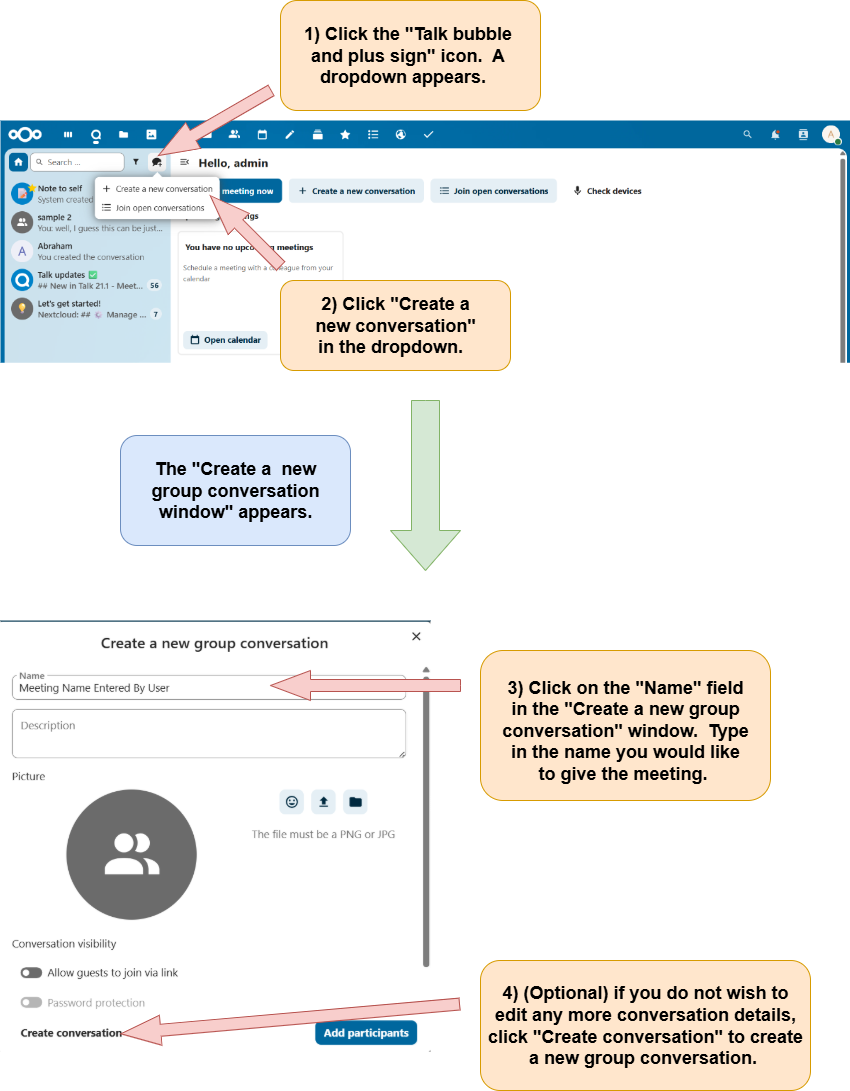
3) Open the “Create a new group conversation” window and name the new group conversation.
There are two options that can be used to open the “Create a new group conversation” window.
Option 1:
Option 2:
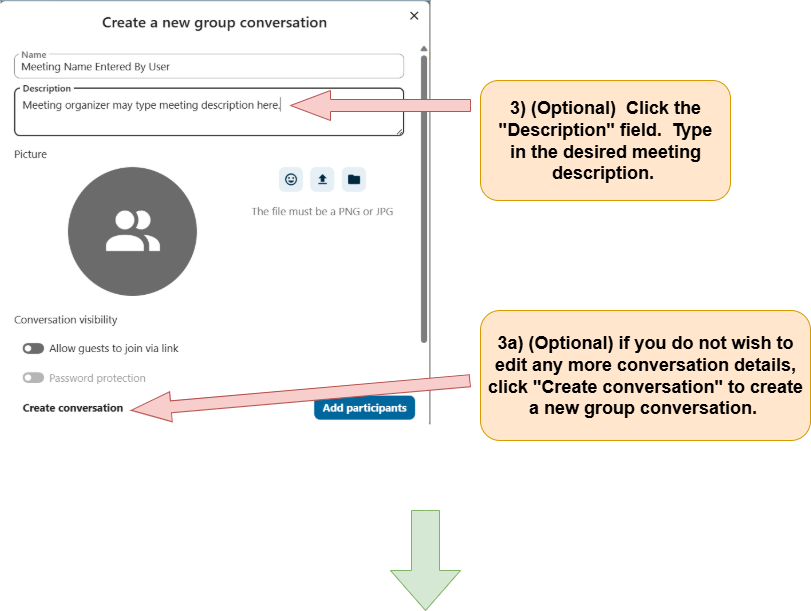
4) (Optional) Add a description to a new group conversation.
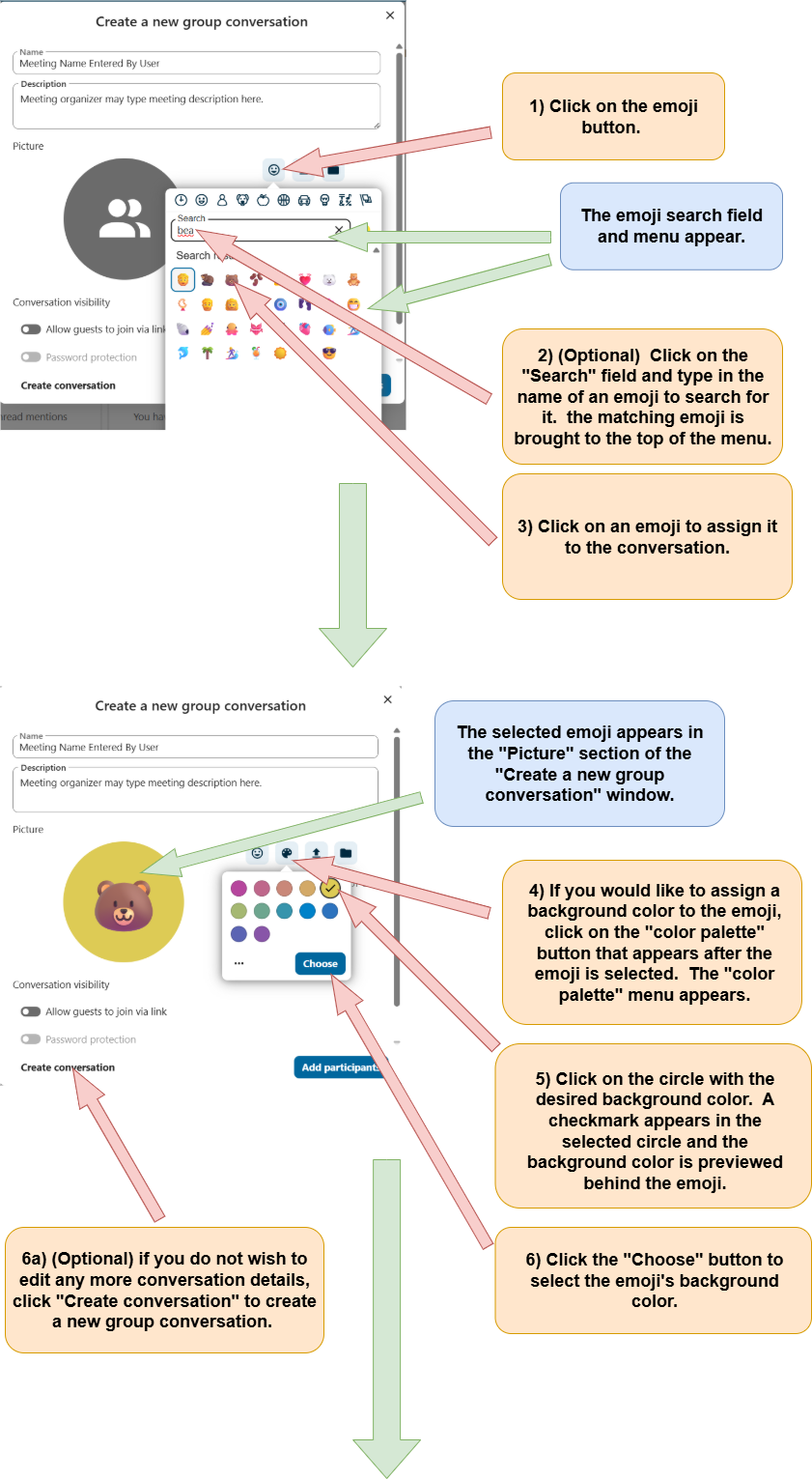
5) (Optional) Assign an emoji to a conversation.
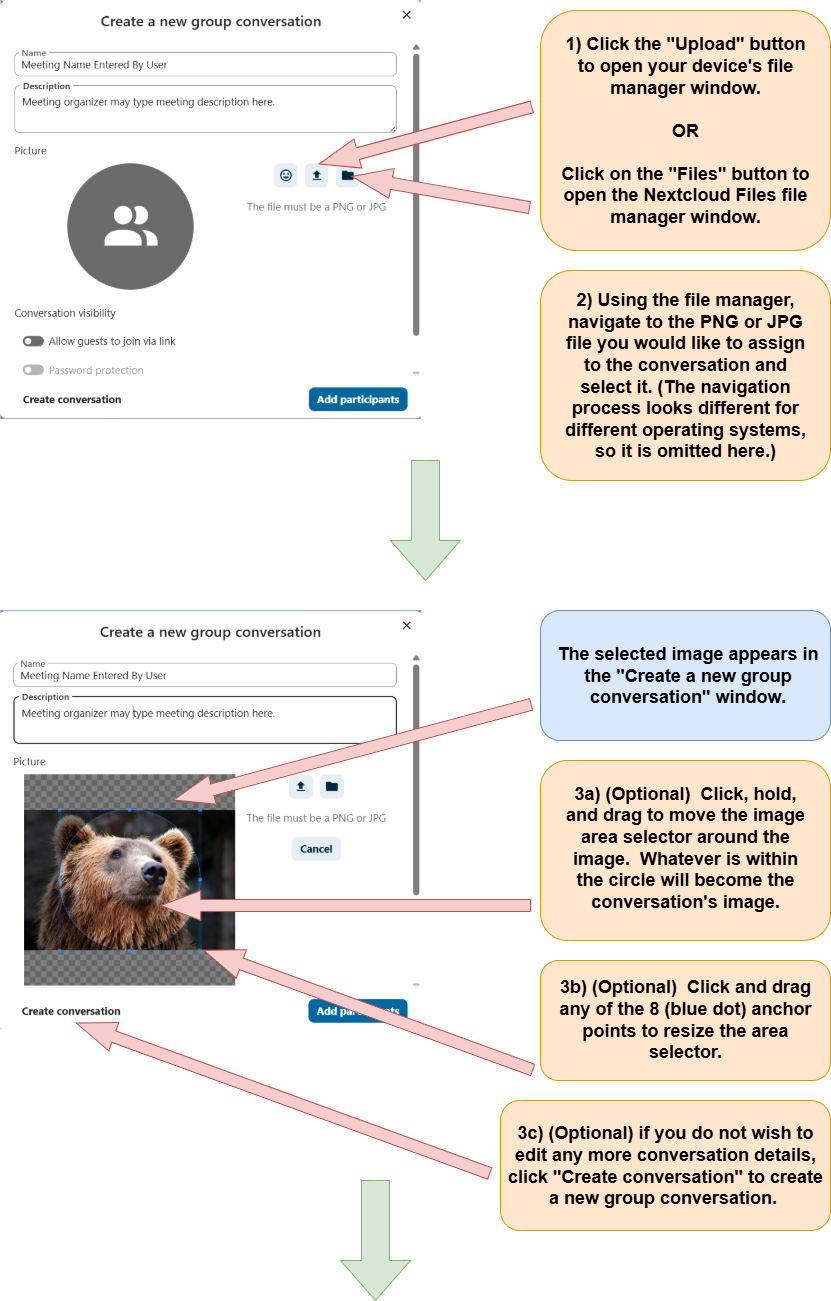
6) (Optional) Assign a photo to a conversation.
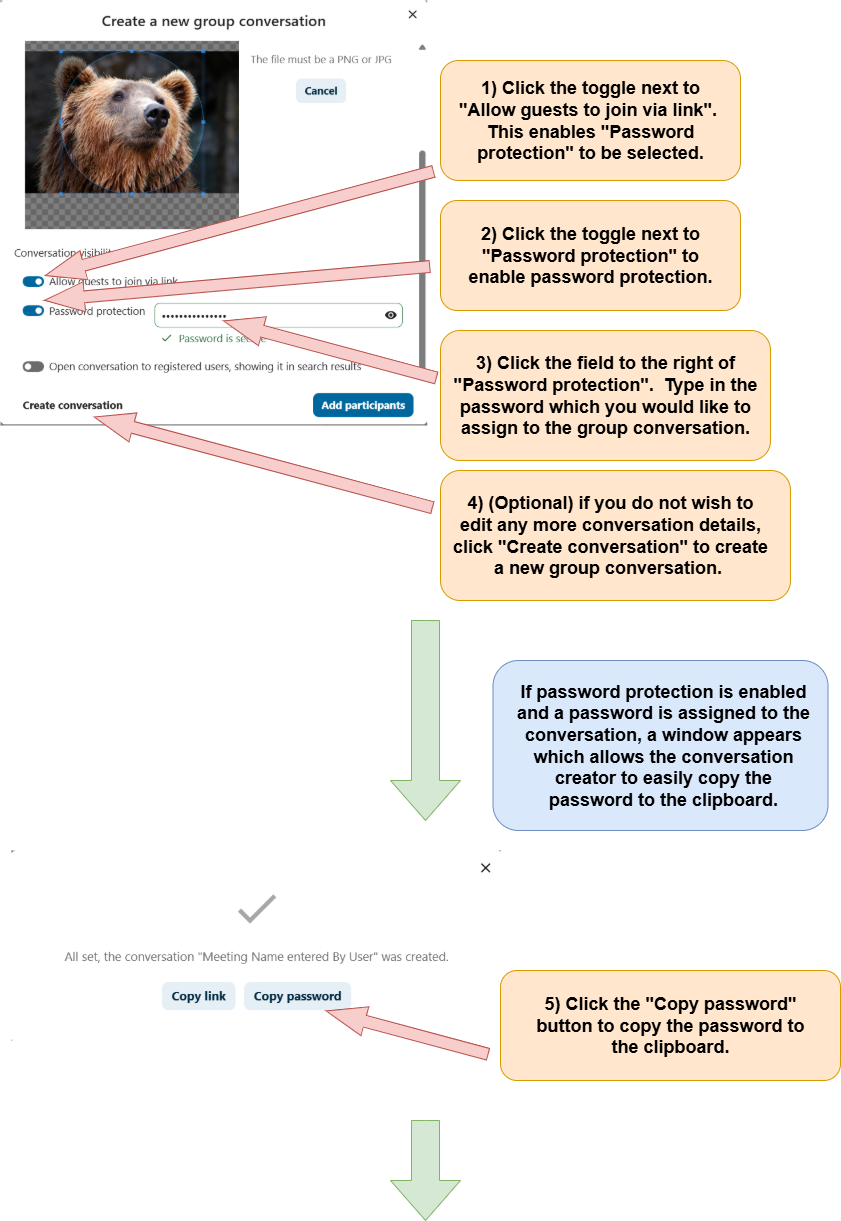
7) (Optional) Allow guests to join the Talk Conversation via a link.
8) (Optional) Enable password protection for a Talk Conversation.
9) (Optional) Open the Talk Conversation to registered users, showing it in search results.
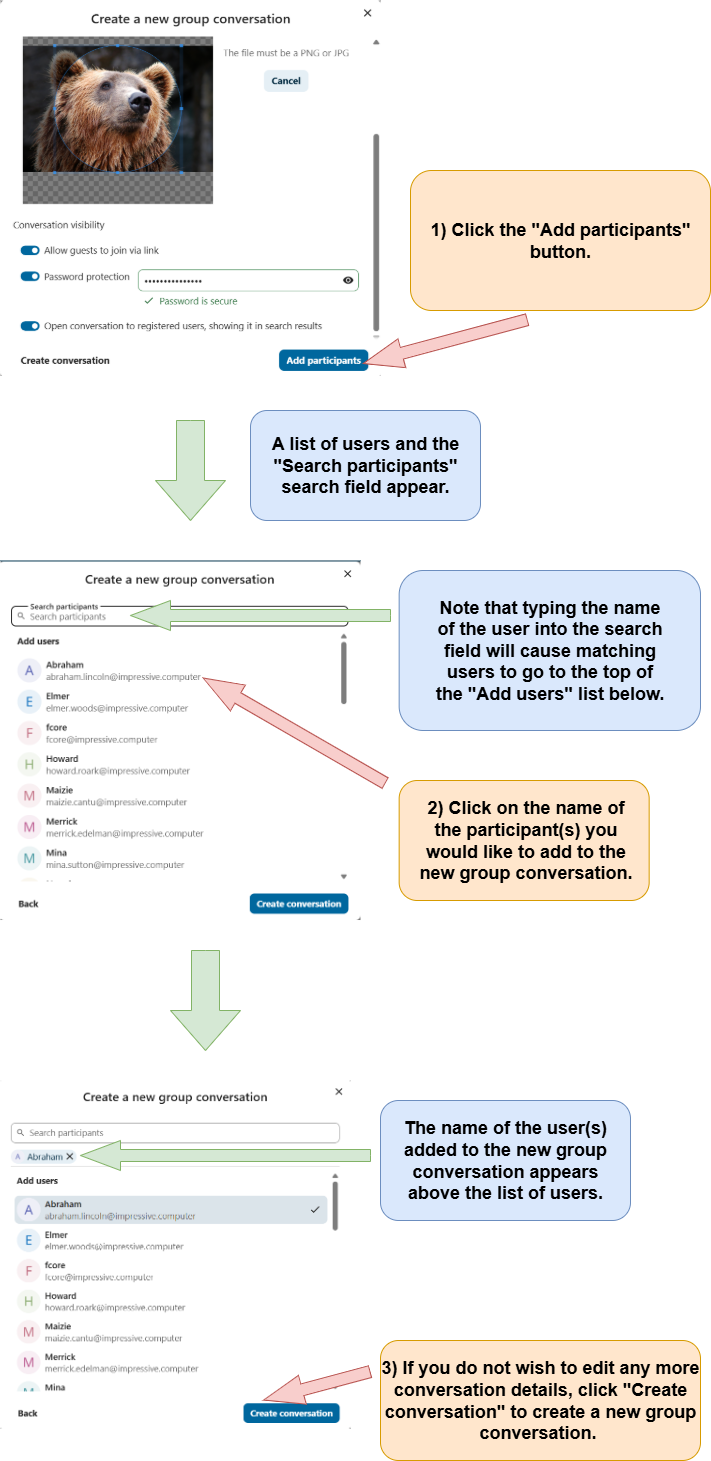
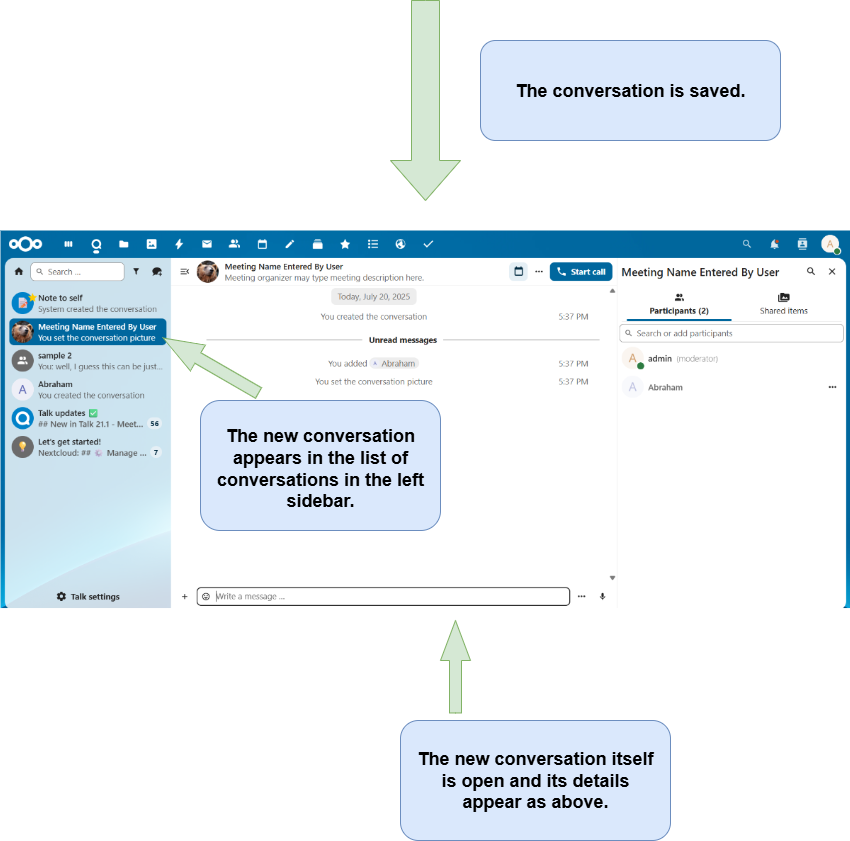
10) Add participants to a group conversation.