philip
1
Upload A File From A Device To send In A Nextcloud Talk Chat Message
1) Log in to Nextcloud.
2) Navigate to Nextcloud Talk as described here.
3) Open a new Nextcloud Talk conversation as described here or open an existing Nextcloud Talk conversation as described here.
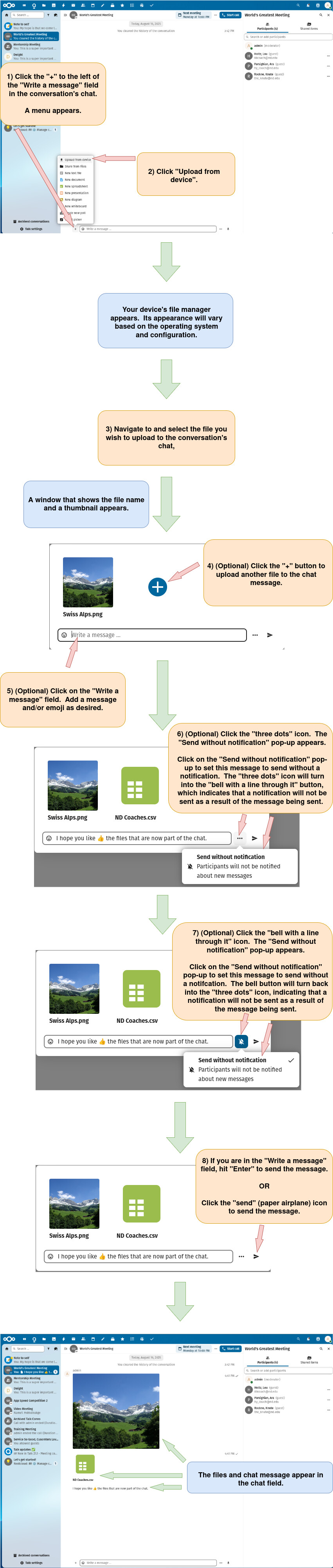
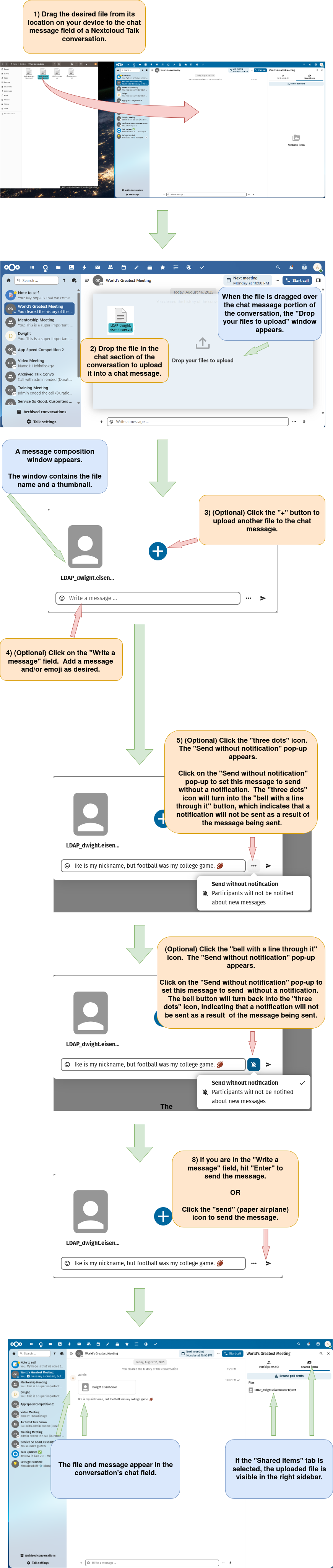
4) Upload a file from a device to send in a Nextcloud Talk chat message.
There are two option for uploading a file to send as a chat message.
Option 1:
Upload the file using the menu in the chat conversation.
Option 2:
Upload the file by dragging and dropping it into the chat field.
Note: For information on sending an emoji as a chat message (or as part of a chat message) click here.