philip
1
Remove The Lobby From A Nextcloud Talk Meeting
1) Log in to Nextcloud.
2) Navigate to Nextcloud Talk as described here.
3) Disable the lobby for the Nextcloud Talk Meeting.
There are two options for disabling the lobby for a Nextcloud Talk meeting.
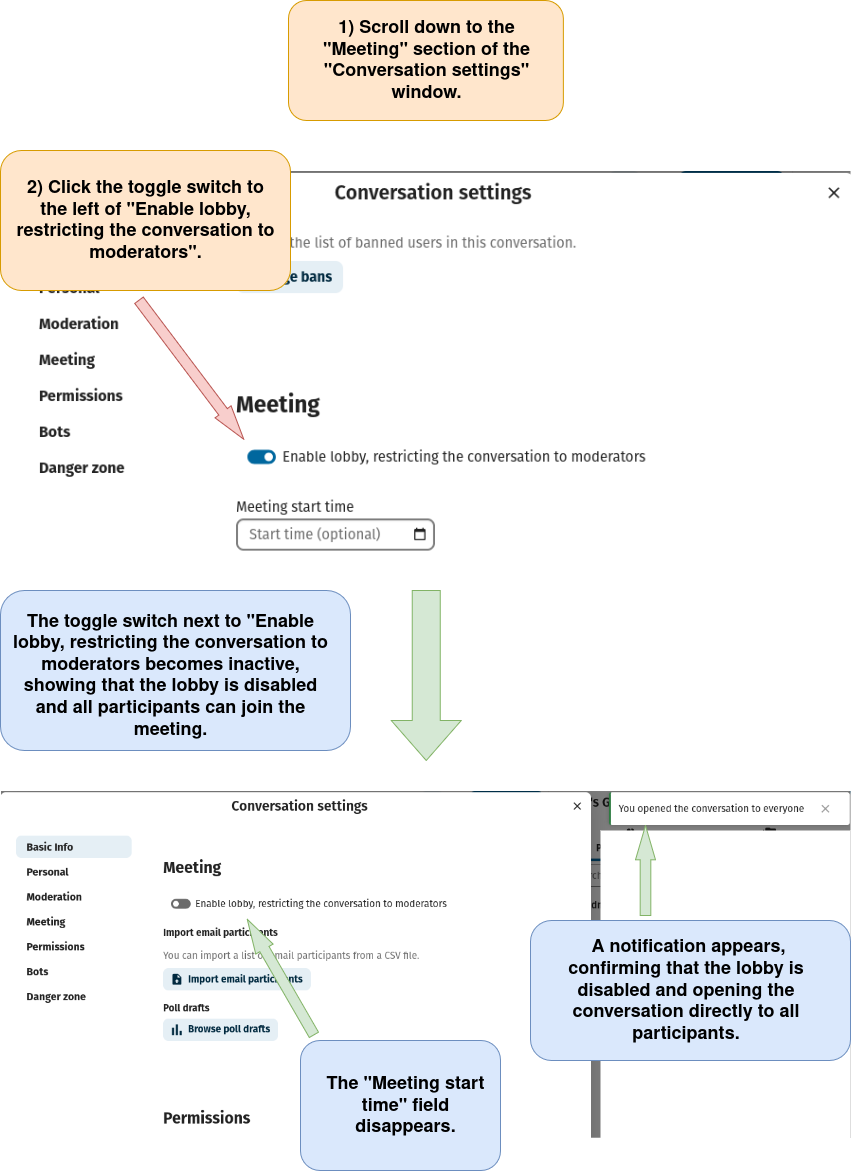
Option 1: Disable the lobby through the “Conversation Settings” window.
a) Open the “Conversation settings” menu as described here.
b) Follow the directions below.
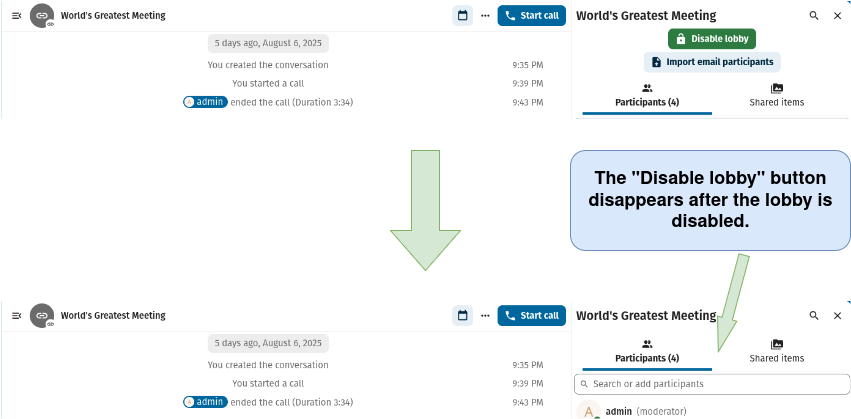
Note that the “Disable lobby” button is no longer visible in the conversation’s sidebar once the lobby has been disabled (see below).
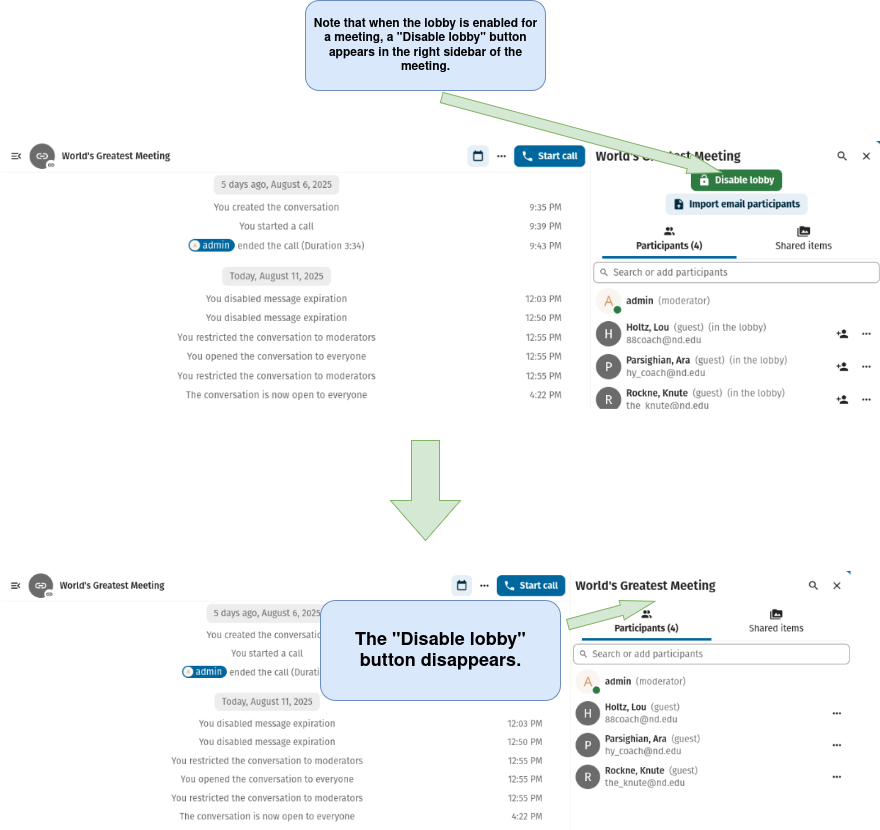
Option 2: Disable the lobby from within the Nextcloud Talk Conversation itself.
b) Follow the directions below.