philip
August 12, 2025, 10:11pm
1
IMPORTANT! In order to import a poll draft from your device to a Nextcloud Talk conversation, the poll draft must have been previously exported to your device as described here .
Import A Poll Draft From Your Device To A Nextcloud Talk Conversation
1) Log in to Nextcloud.
2) Navigate to Nextcloud Talk as described here .
3) Open the “Create new poll” window.
There are five options for opening the “Create new poll” window.
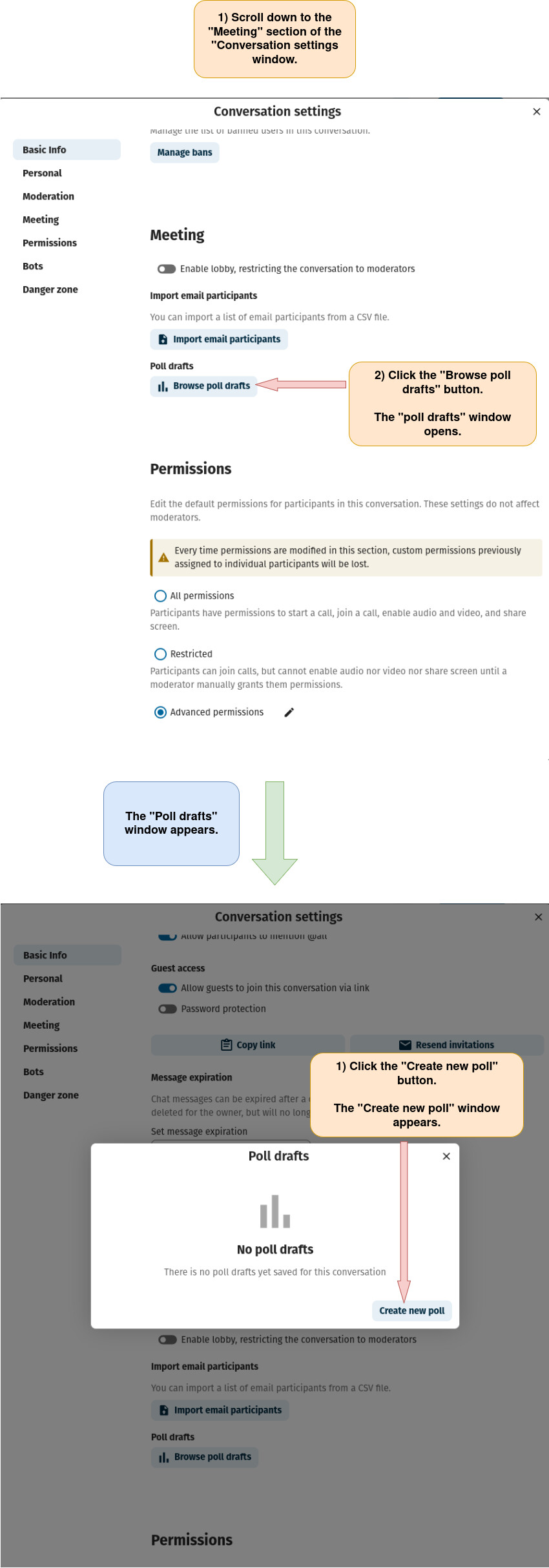
Option 1: Open the “Create new poll” window from the “Conversation settings” window.
a) Open the “Conversation settings” window as described here .
b) Follow the directions below.
Option 2: Open the “Create new poll” window via a conversation’s chat.
a) Create a new group conversation as described here or open an existing group conversation as described here .
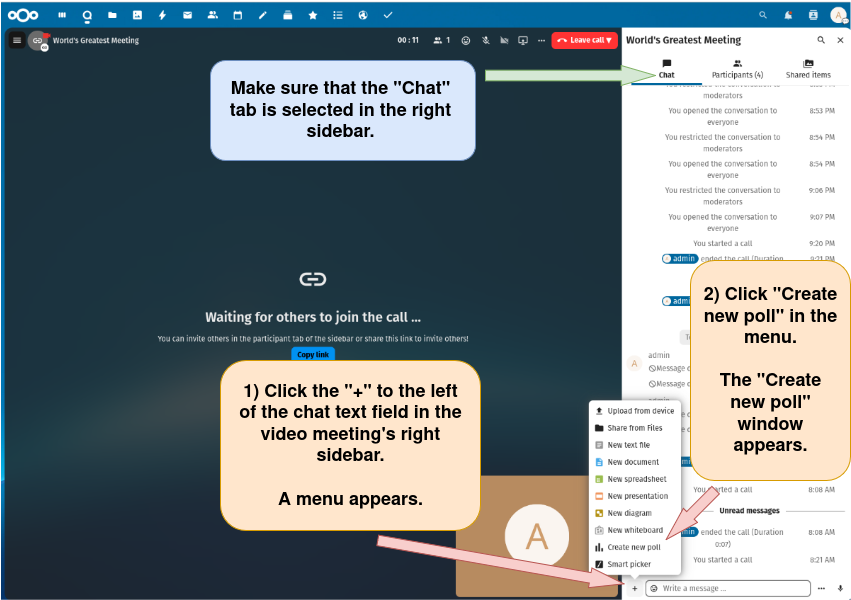
b) Open the “Create new poll” window via a conversation’s chat.
Option 3: Open the “Create new poll” window via a video meeting’s chat.
a) Create a new video meeting as described here or open an existing video meeting as described here .
b) Open the “Create new poll” window via a video meeting’s chat.
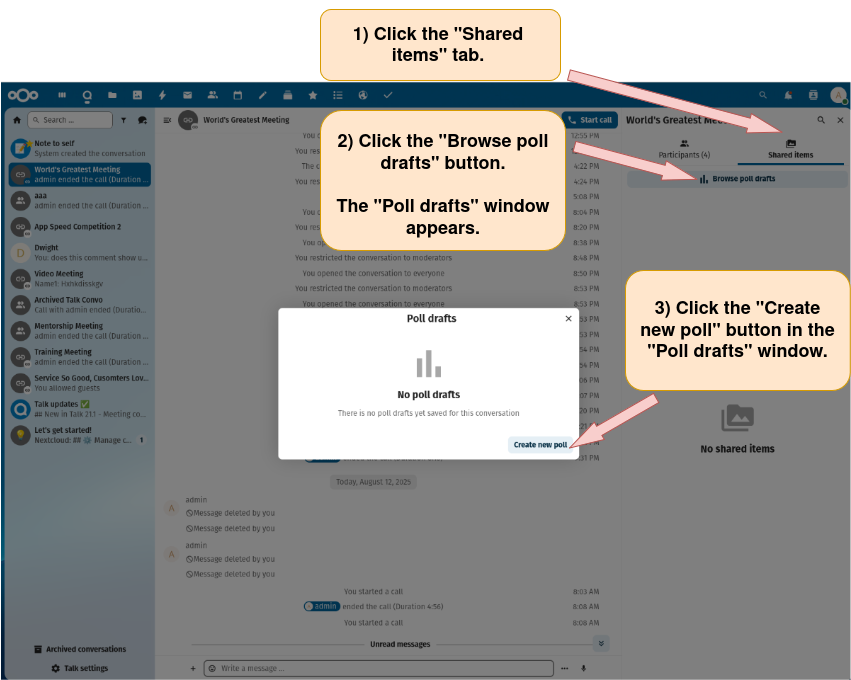
Option 4: Open the “Create new poll” window via the “Browse poll drafts” button in a conversation’s right sidebar.
a) Create a new group conversation as described here or open an existing group conversation as described here .
b) Open the “Create new poll” window via the “Browse poll drafts” button in a conversation’s right sidebar.
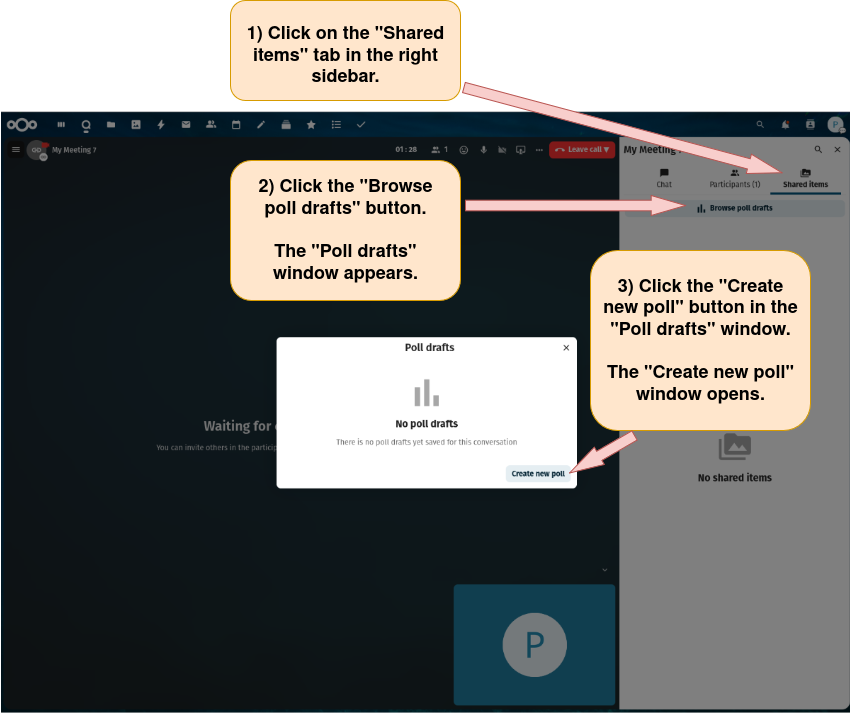
Option 5: Open the “Create new poll” window via the “Browse poll drafts” button in a video meeting’s right sidebar.
a) Create a new video meeting as described here or open an existing video meeting as described here .
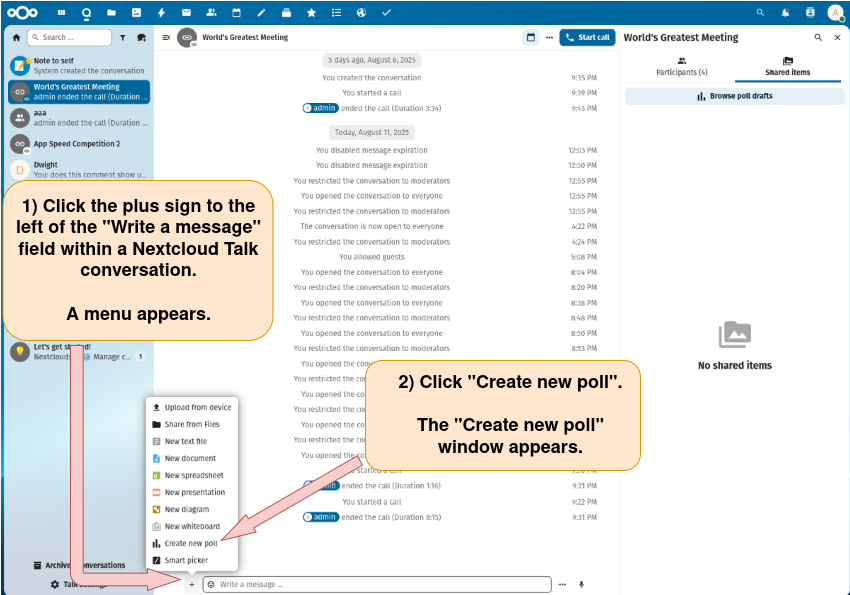
b) Open the “Create new poll” window via the “Browse poll drafts” button in a video meeting’s right sidebar.
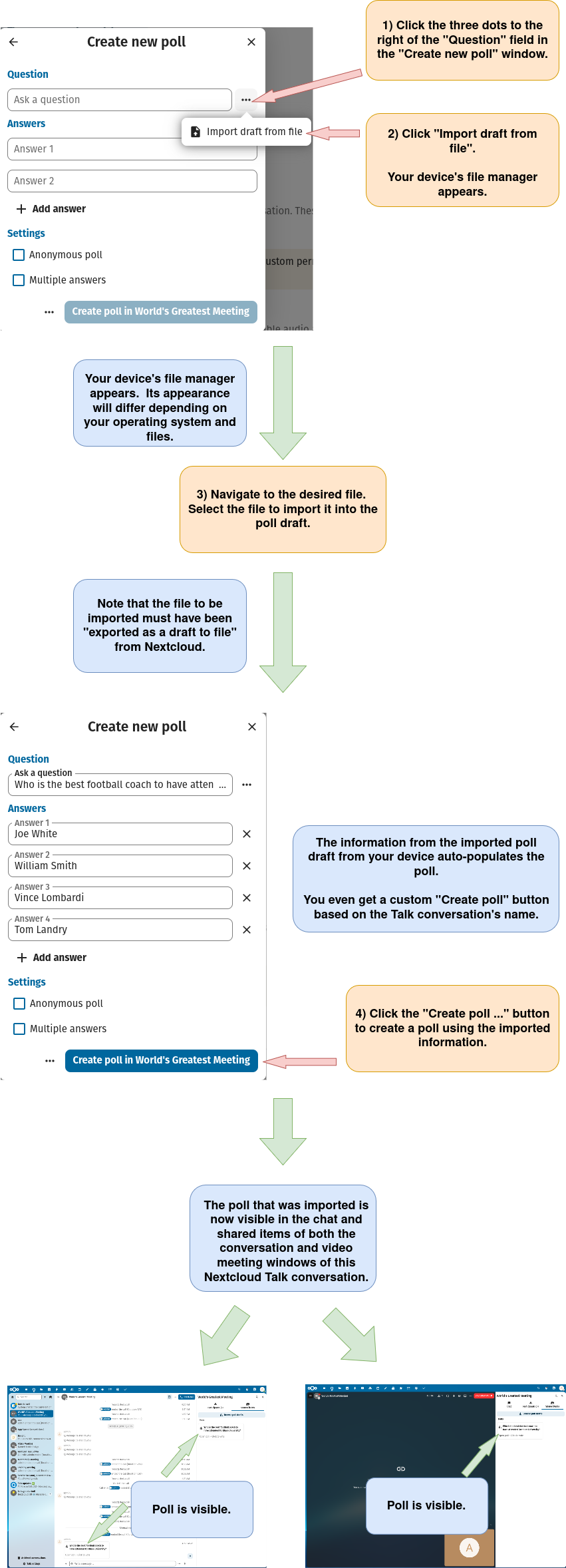
4) Import the draft poll from your device for use in the conversation or video meeting.