Open A Nextcloud Video Meeting
1) Log in to Nextcloud.
2) Navigate to Nextcloud Talk as described here.
3) Create A New Nextcloud Video Meeting.
There are two options for opening a Nextcloud Video Meeting
Option 1: Start a new Nextcloud Video Meeting directly from the main Nextcloud Talk page.
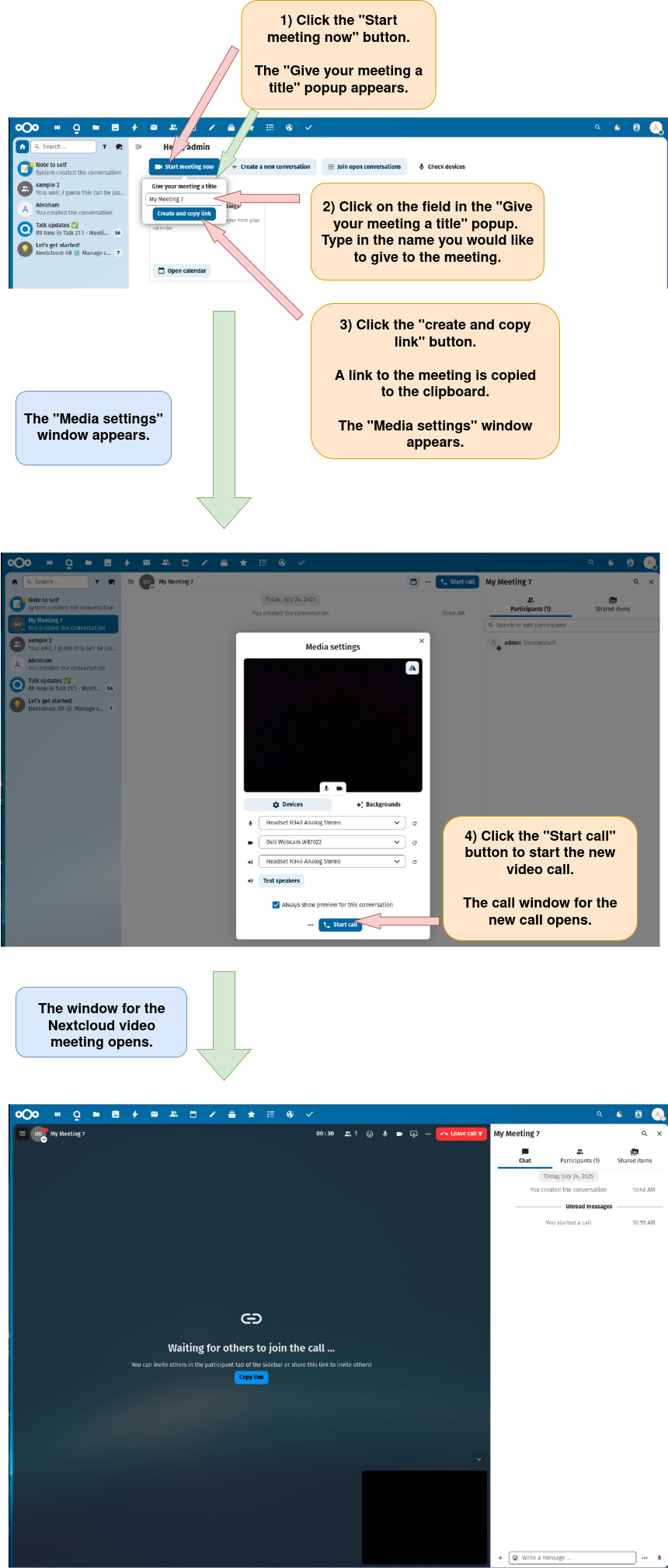
Note: For information on configuring devices and backgrounds before starting a Nextcloud video call, please click here.
Note: For information about configuring a video call from within the call itself, click here.
Option 2: Start A Nextcloud Video Meeting by first creating a new Nextcloud conversation (chat).
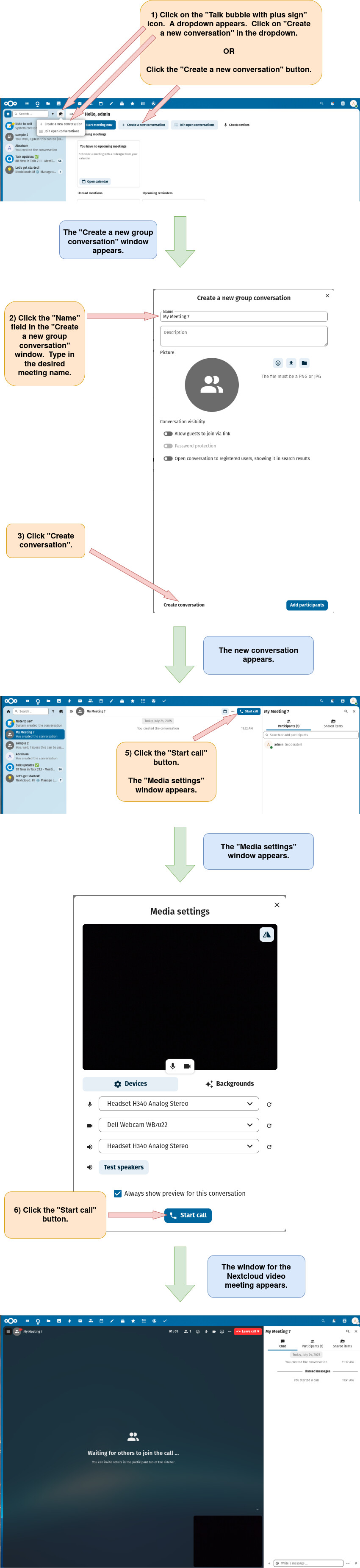
Note: For information on configuring devices and backgrounds before starting a Nextcloud video call, click here.
Note: For information on how to create and configure a group conversation, click here.
Note: For information about configuring a video call from within the call itself, click here.