philip
August 8, 2025, 2:42am
1
Resend Invitations To A Nextcloud Talk Conversation
1) Log in to Nextcloud.
2) Navigate to Nextcloud Talk as described here .
3) Resend the invitations to the Nextcloud Talk conversation.
There are three methods of resending invitations to a Nextcloud Talk conversation.
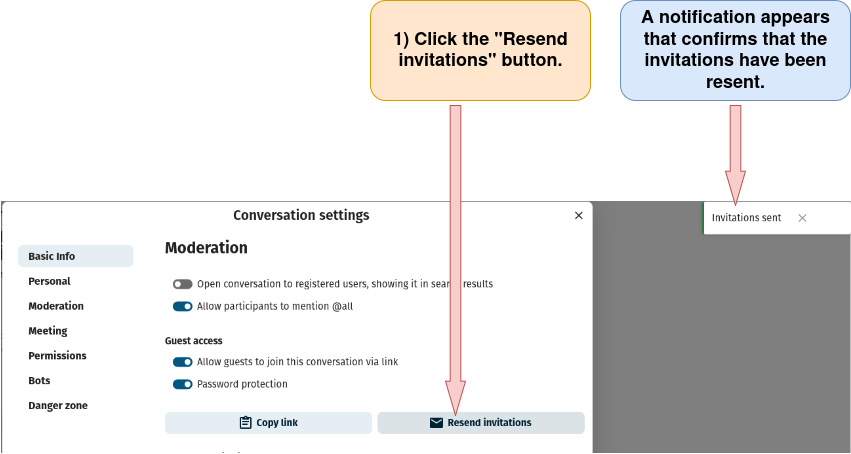
a) Resend invitations to a conversation through the “Conversation settings” window.
Open the “Conversation settings” window as described here and scroll down to the “Moderation” section. Then follow the directions below.
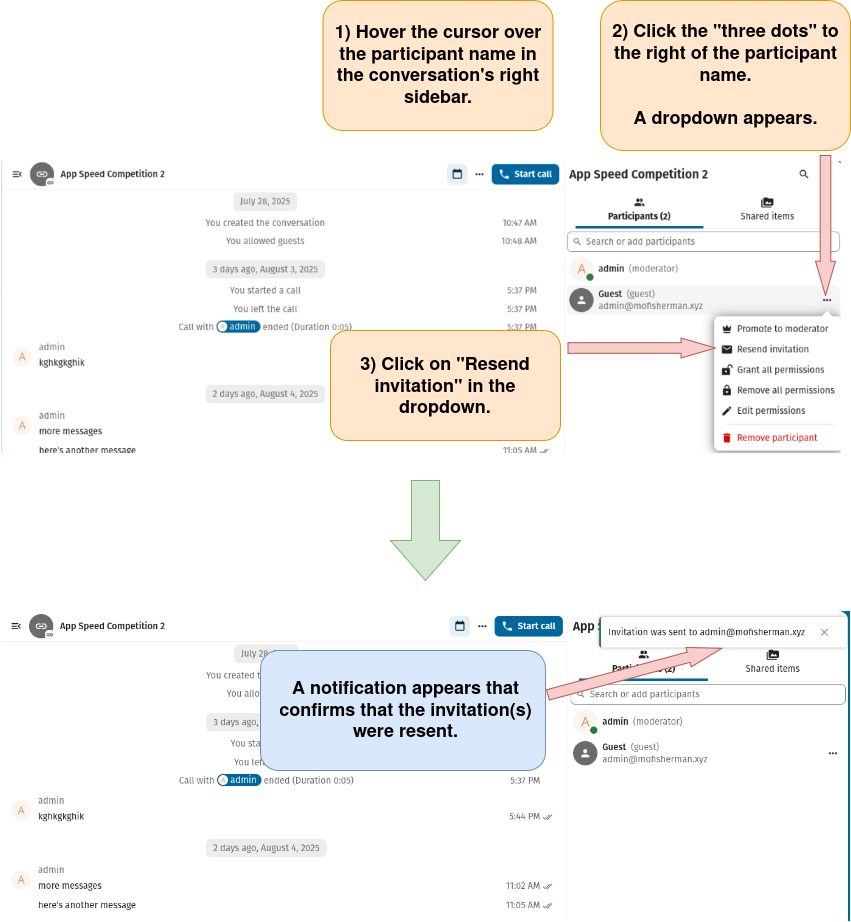
b) Resend the invitations to a chat conversation from inside the conversation itself.
Create a new Nextcloud Talk conversation as described here , or open an existing Nextcloud Talk chat conversation as described here . If the right sidebar is not open, open it as described here .
Then, follow the directions below.
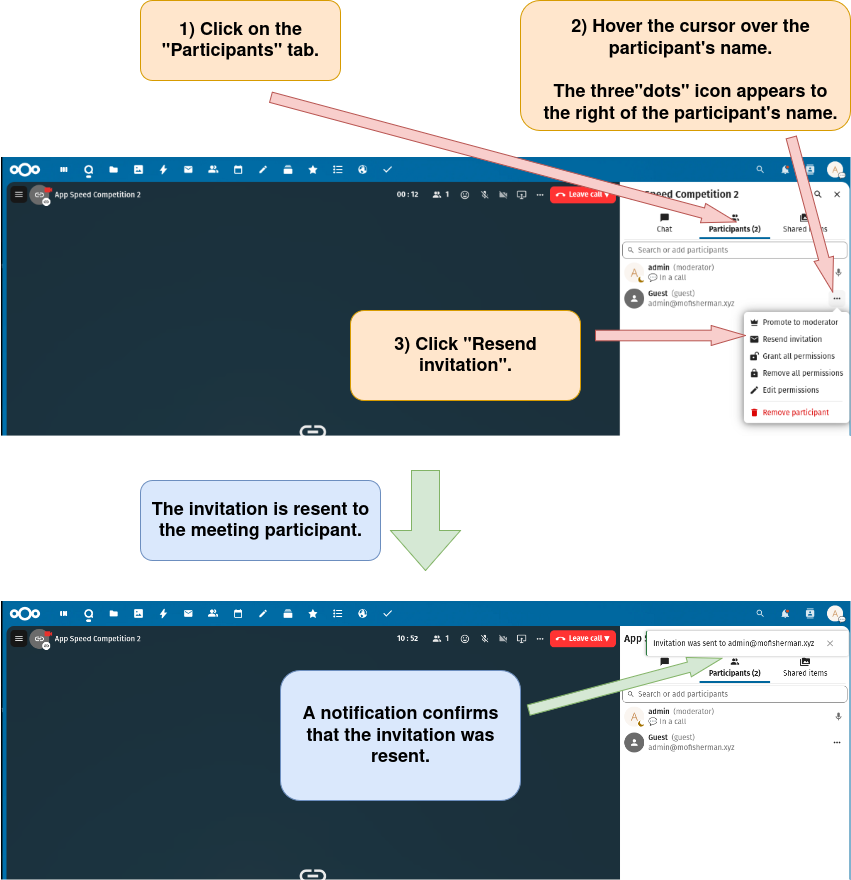
c) Resend invitations to a video meeting from inside the meeting itself.
Start a new video meeting as described here or open an existing conversation as a video meeting as described here .
If the right sidebar isn’t open, open it as described here .
Then, follow the directions below.