Copy A Link To A Nextcloud Talk Conversation To The Clipboard
1) Log in to Nextcloud.
2) Navigate to Nextcloud Talk as described here.
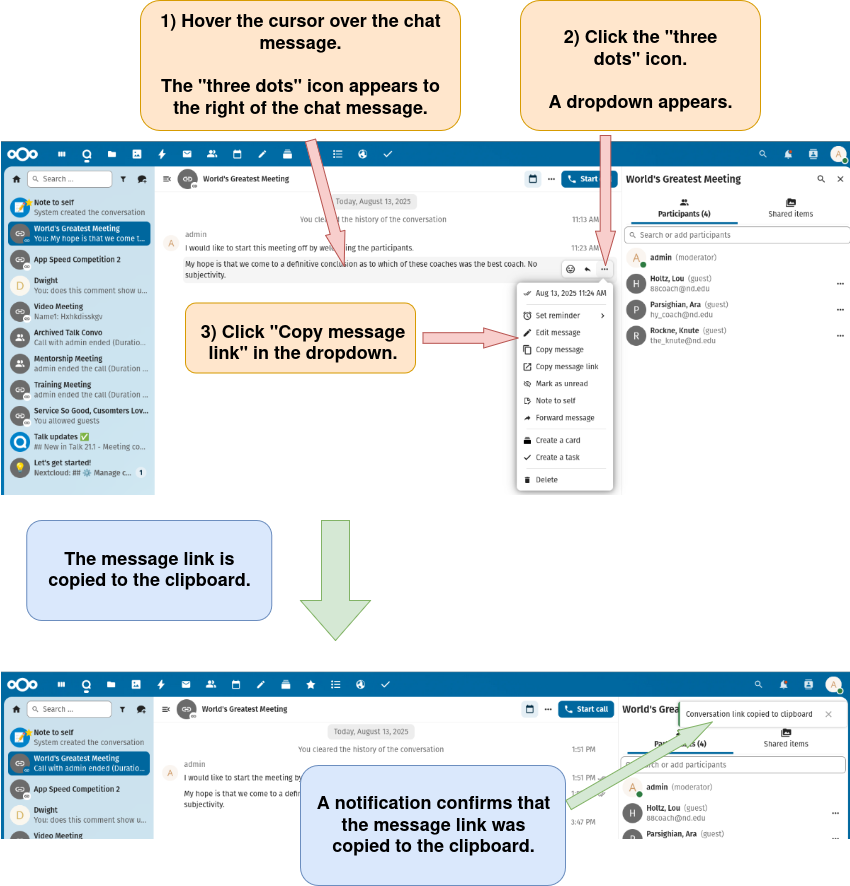
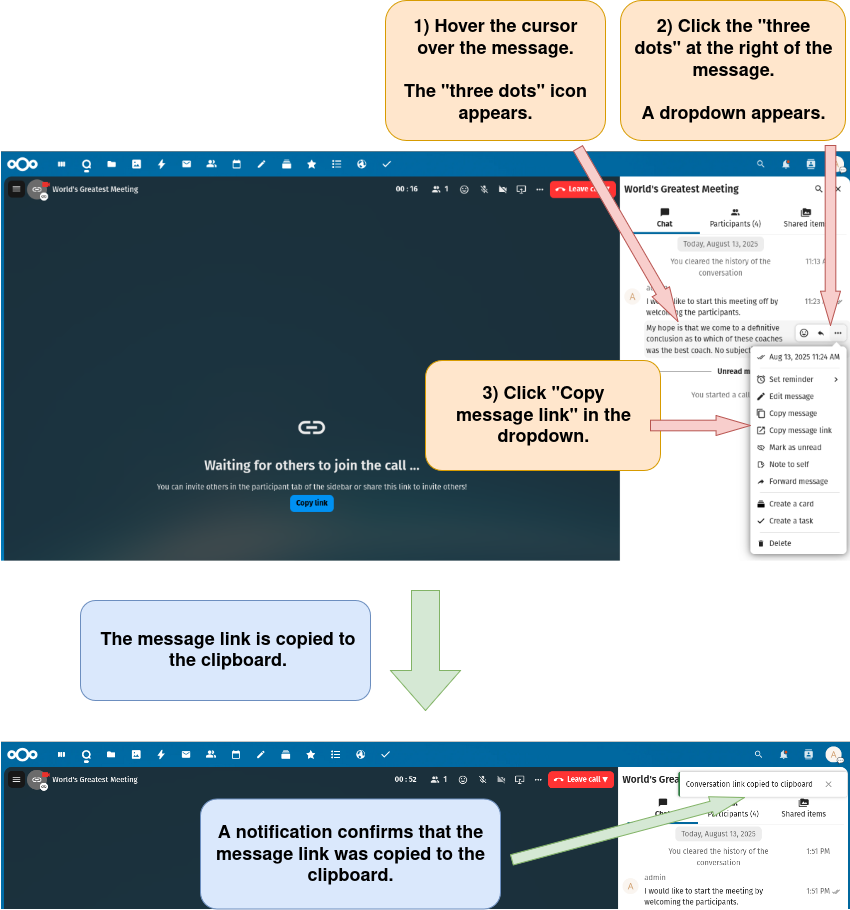
3) Copy a link to the Nextcloud Talk conversation to the clipboard.
There are seven options for copying a link to a Nextcloud Talk conversation to the clipboard.
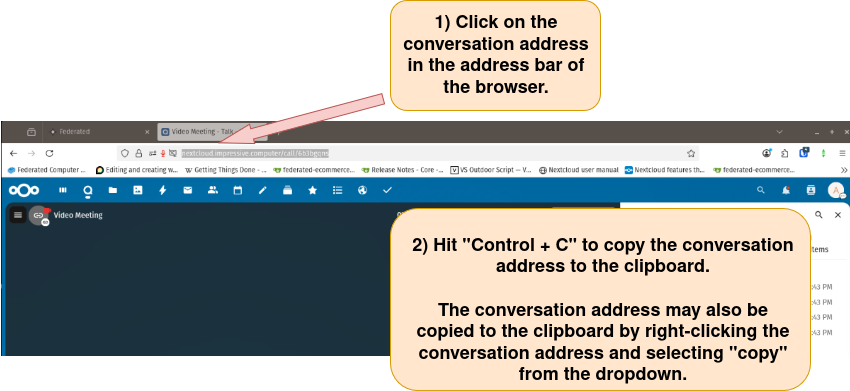
Option 1: Copy the link from the browser’s address bar.
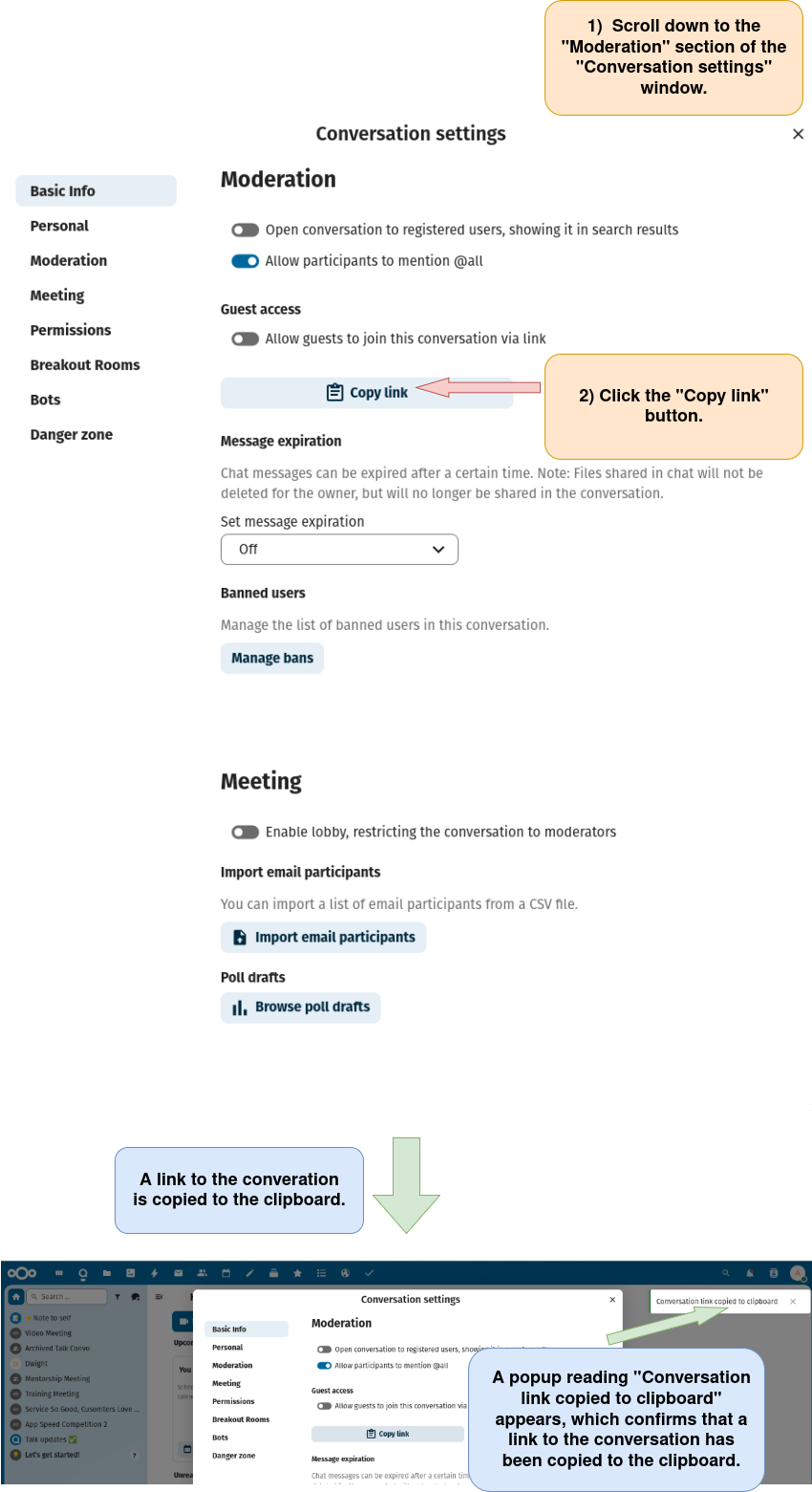
Option 2: Copy the link from the “Conversation settings” window.
Open the “Conversation settings” window as described here.
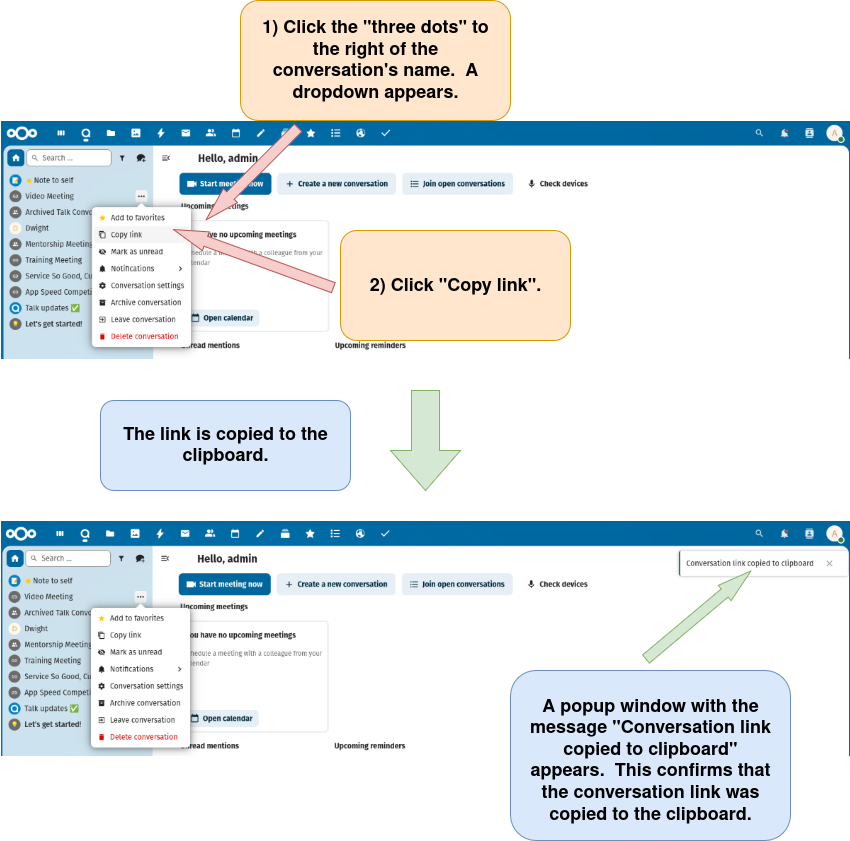
Option 3: Copy the link from the name of an existing conversation in the conversation list in the left sidebar.
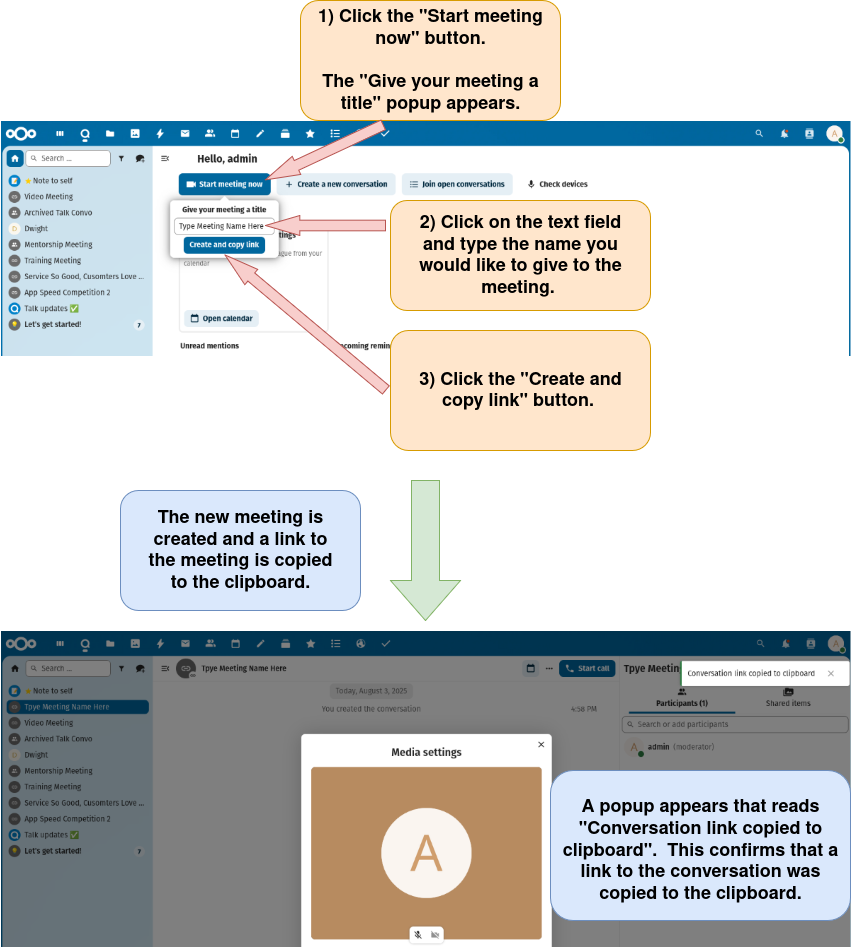
Option 4: Copy the meeting link using the “Start meeting now” button on the Nextcloud Talk homepage.
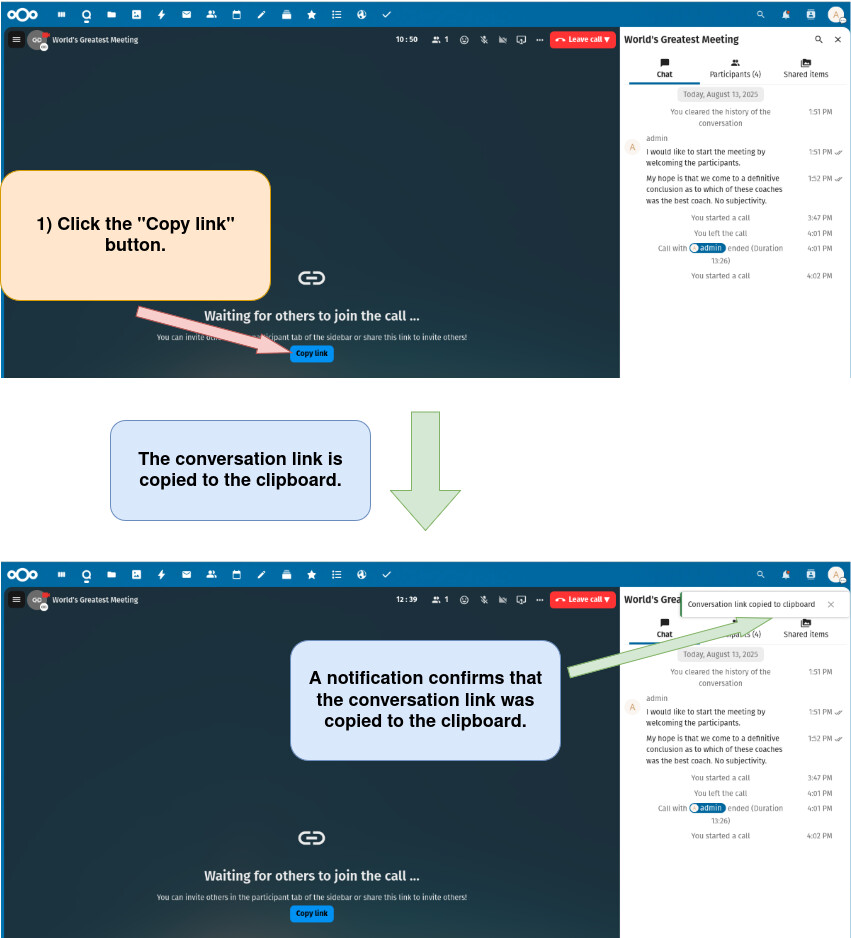
Option 5: Copy the meeting link by clicking the “Copy link” button within a video call.
a) Start a new Nextcloud video meeting as described here or open an existing conversation as a Nextcloud Talk video meeting as described here.
b) Copy the meeting link by clicking the “Copy link” button within a video call.
!