philip
1
Copy A Chat Message To The Clipboard In A Conversation In Nextcloud Talk
1) Log in to Nextcloud.
2) Navigate to Nextcloud Talk as described here.
3) Open a new Nextcloud Talk conversation as described here or open an existing Nextcloud Talk conversation as described here.
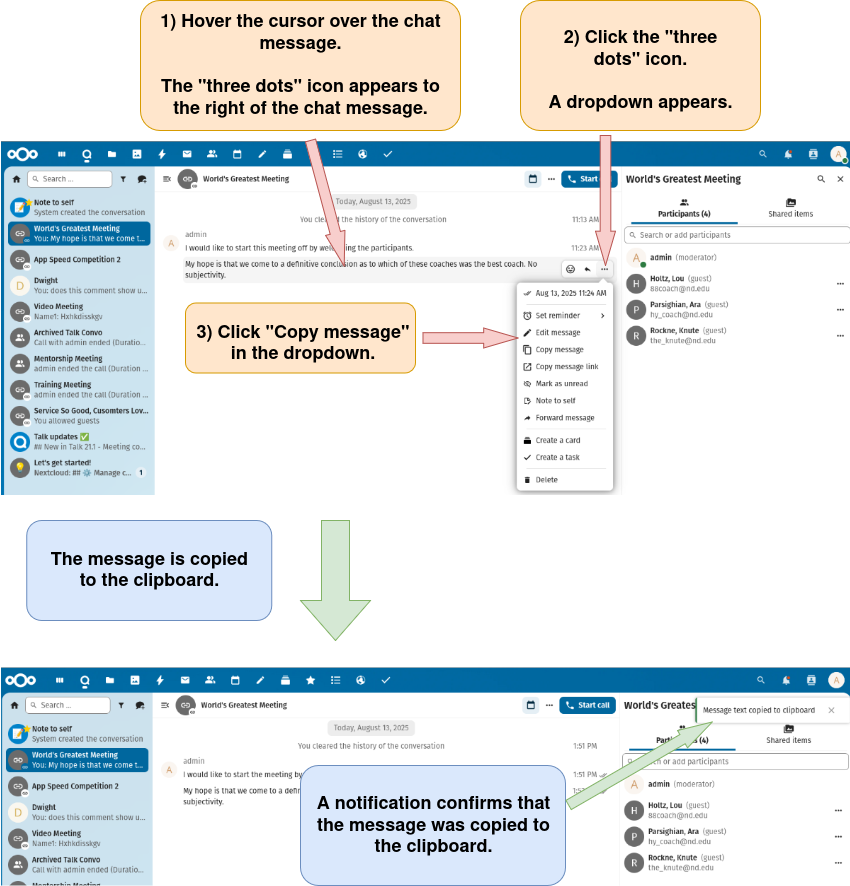
4) Copy the chat message to the clipboard.