Assign Interval Between Event Reminders In Nextcloud Calendar
1) Log in to Nextcloud.
2) Navigate to Nextcloud Calendar as described here.
3) If the calendar containing the desired event is not visible, make it visible as described here.
4) Navigate to the desired event as described date or event as described here.
5) Open the event information popup or the event editor as described here.
6) Open the advanced sidebar editor as described here.
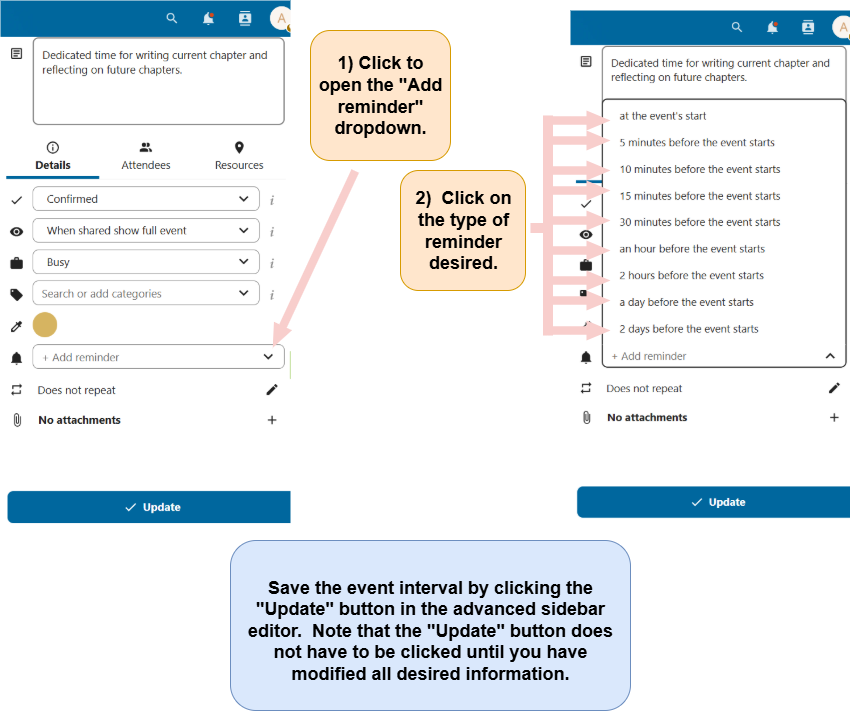
7) Add an event reminder interval
Click on the “+ Add reminder” dropdown. Click on the desired event reminder interval. Be sure to click the “Update” button to save the event reminder interval type.