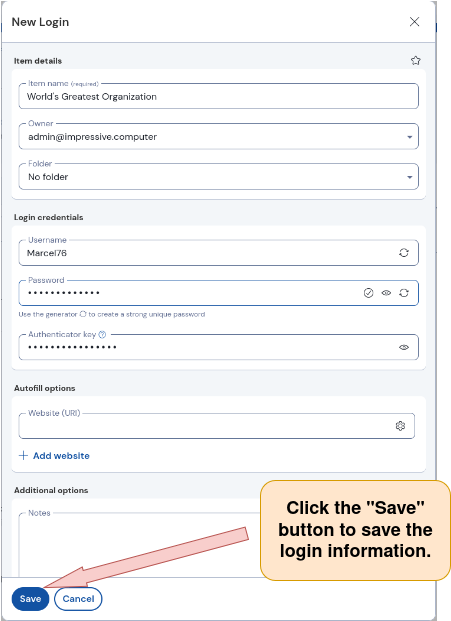
1) Log in to Vaultwarden, open the “New Login” window, and assign the login to an organization as described here.
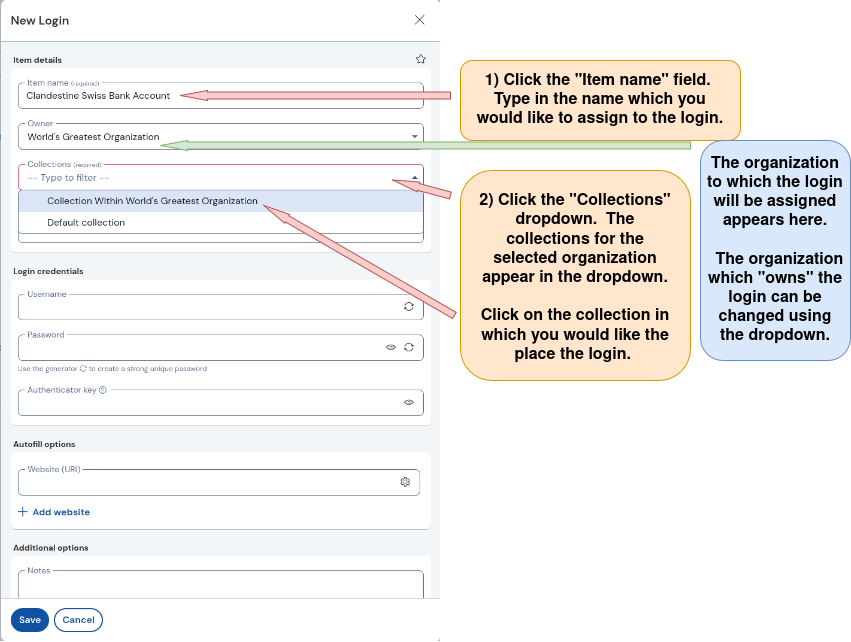
2) Name the new login and choose the collection where the login will be stored.
Collections are containers (similar to a file) within an organization where users who have permission can share access to files (such as logins). For more information on what a collection is, click here.
The “New Login” window is open. Follow the directions below.
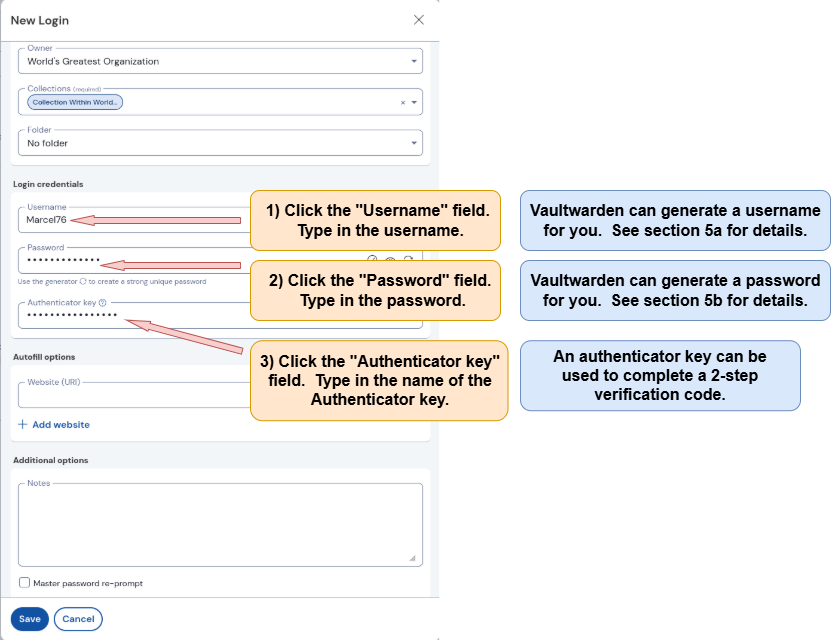
3) Enter login credentials: Username, Password, Authenticator Key (optional).
The username, password, and authenticator key that are inputted into the “New Login” window will be stored and can be used by Vaultwarden to log into a given website. Note that entering an authenticator key is optional