Open The Conversation To Registered Users, Show The Conversation In Search Results Within Nextcloud Talk

Open Conversation To Registered Users, Show The Conversation In Search Results Within Nextcloud Talk

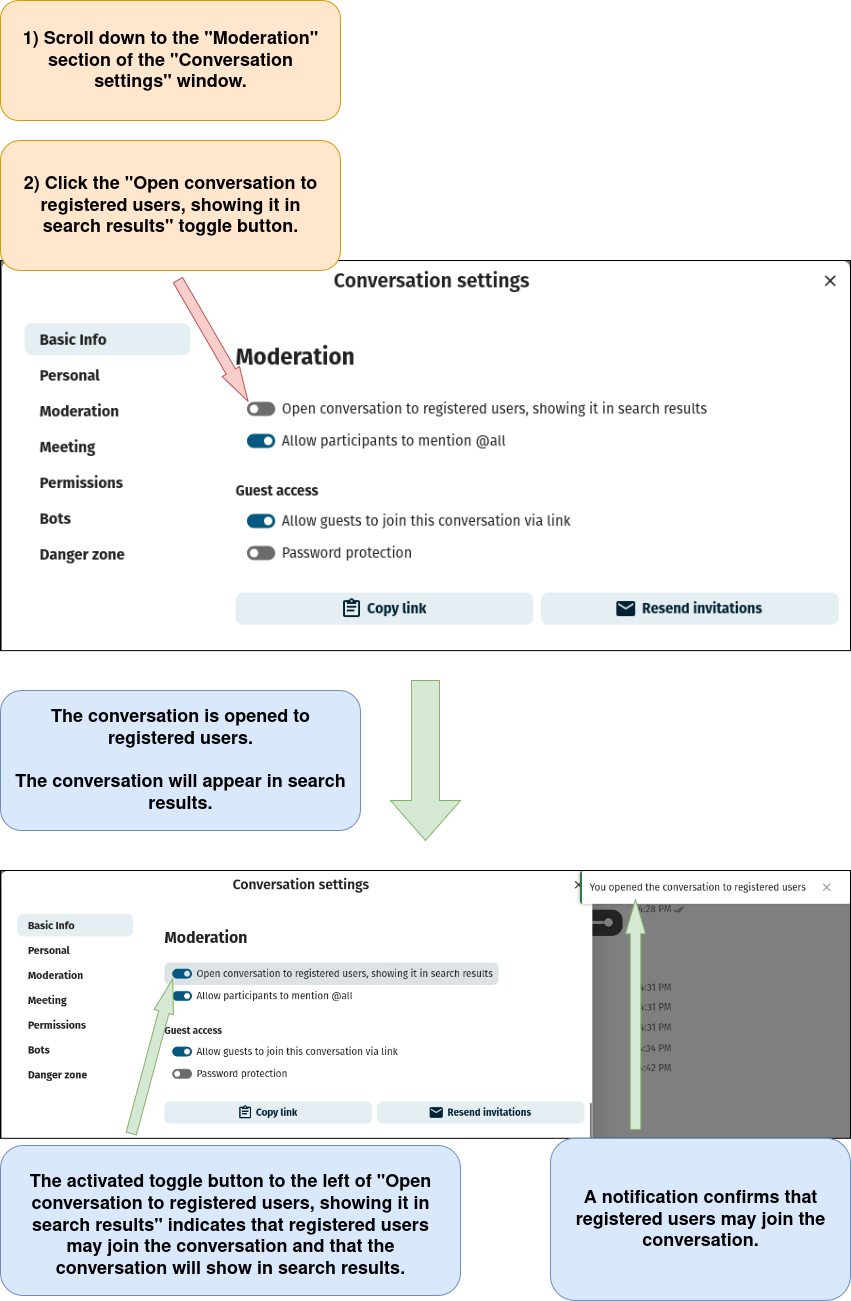
Note: Enabling this option allows those who are registered on your domain both to join the meeting and to search for/see the conversation in the Nextcloud Talk conversation list (left sidebar).
1) Log in to Nextcloud.

2) Navigate to Nextcloud Talk as described here.

3) Open the “Conversation settings” window as described here.

4) Open the conversation to registered users and show the conversation in search results within Nextcloud Talk.