Open The Advanced Sidebar Editor
1) Log in to Nextcloud.
2) Navigate to Nextcloud Calendar as described here.
3) If the calendar containing the desired event is not visible, make it visible as described here.
4) Navigate to the desired event as described date or event as described here.
5) Open the event information popup or the event editor as described here.
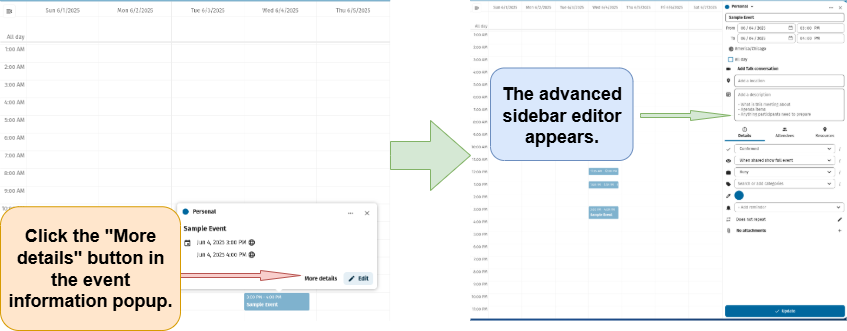
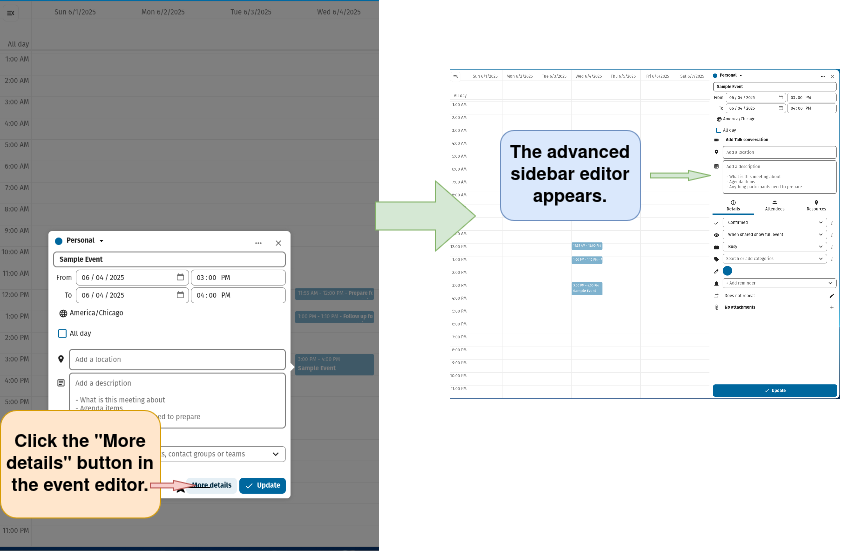
6) Open the advanced sidebar editor.
Note: The advanced sidebar editor can be opened from either the event information popup (see 6a) or from the event editor (see 6b)
6a) Open the advanced sidebar editor from the event information popup
6b) Open the advanced sidebar editor from the event editor
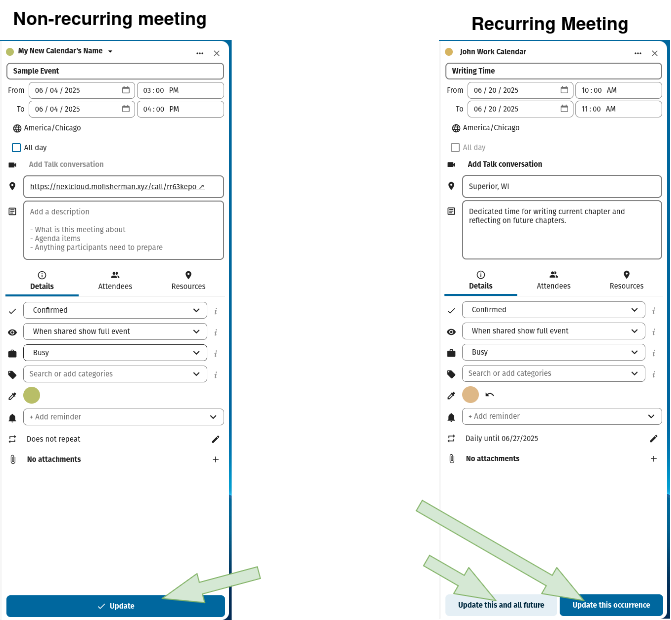
Note that the advanced sidebar editor has an update button at the bottom if the event is non-recurring. If the event is recurring, both an “Update this occurrence” and an “Update this and all future” appear at the bottom of the advanced sidebar editor. A click on either of these buttons saves changes made to an event in the advanced sidebar editor.