philip
1
Leave a Nextcloud Talk video meeting.
Note: These instructions are for leaving a Nextcloud video meeting. For instructions on how to leave a Nextcloud chat conversation click here.
1) Be in a Nextcloud Talk video meeting.
Open the video meeting by either:
OR
2) Leave the Nextcloud Talk video meeting.
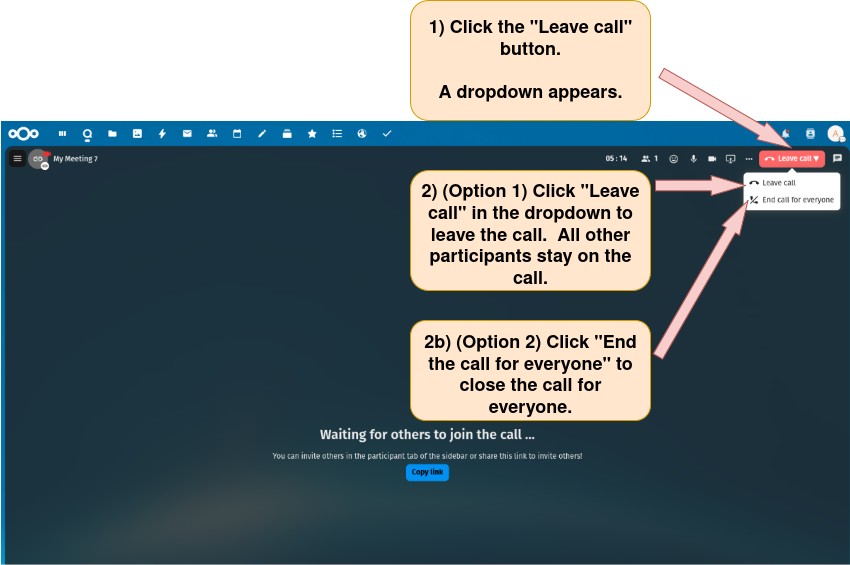
There are two options for leaving a Nextcloud Talk video meeting.
Option 1: Leave the video meeting via the “Leave call” button.
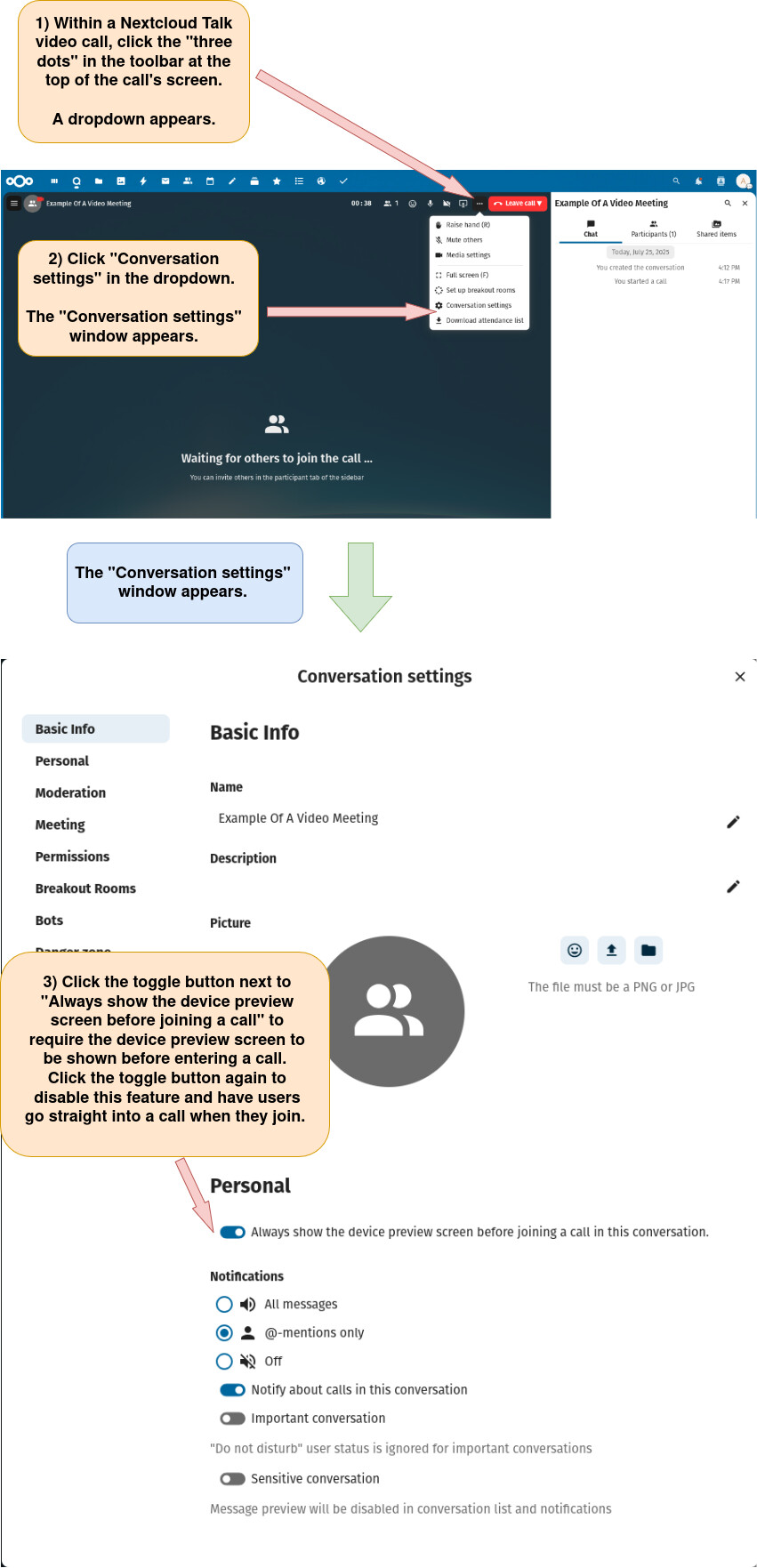
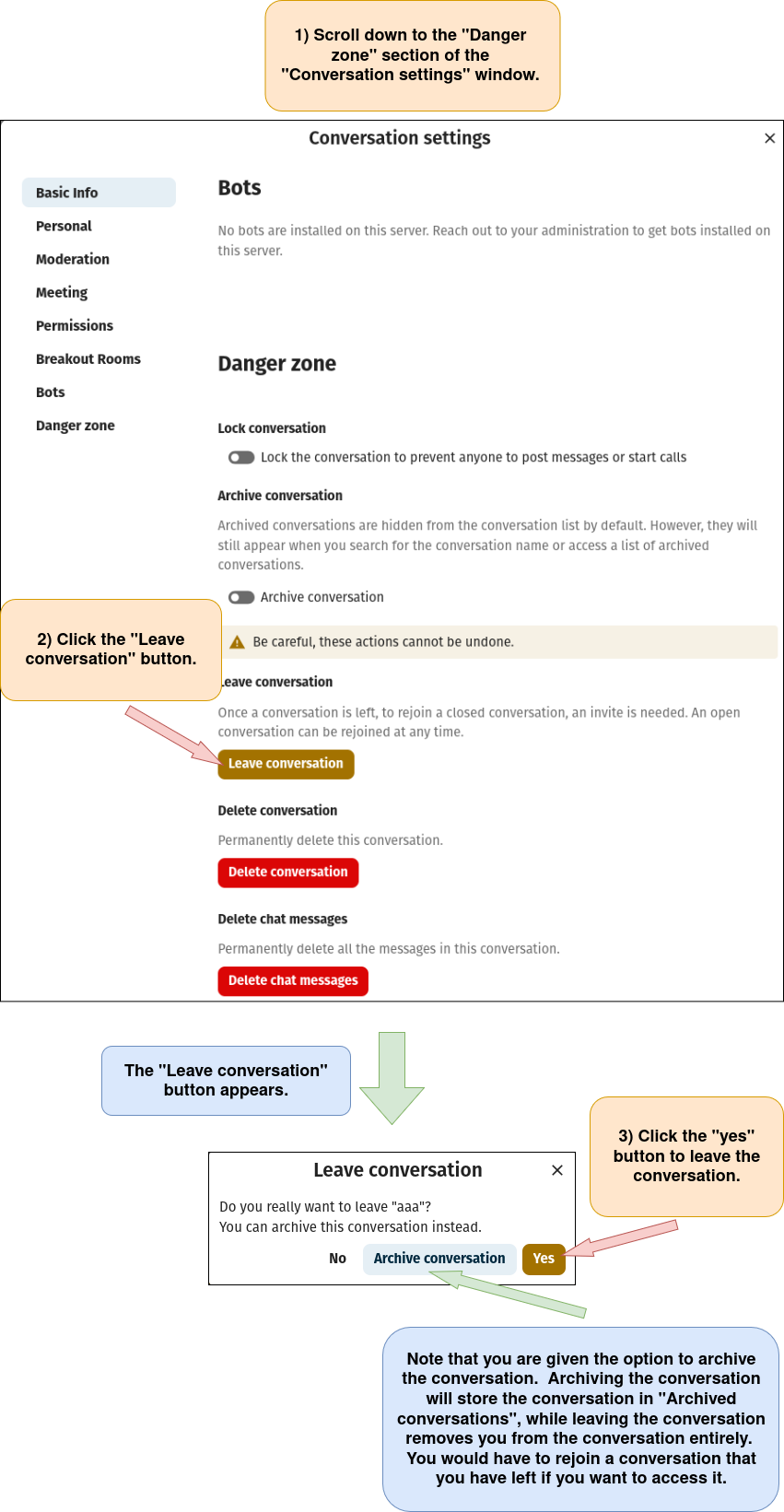
Option 2: Leave the video meeting via the “Conversation settings” menu.
a) Open the “Conversation settings” window as described below.
b) Leave the video meeting.