Leave A Nextcloud Talk Conversation AND Remove Nextcloud Talk Conversation From Conversation List
Note: A Nextcloud Talk video meeting is a type of Nextcloud Talk conversation. This topic deals with leaving a conversation. Instructions for leaving a video meeting are available here.
There are two options for leaving a conversation.
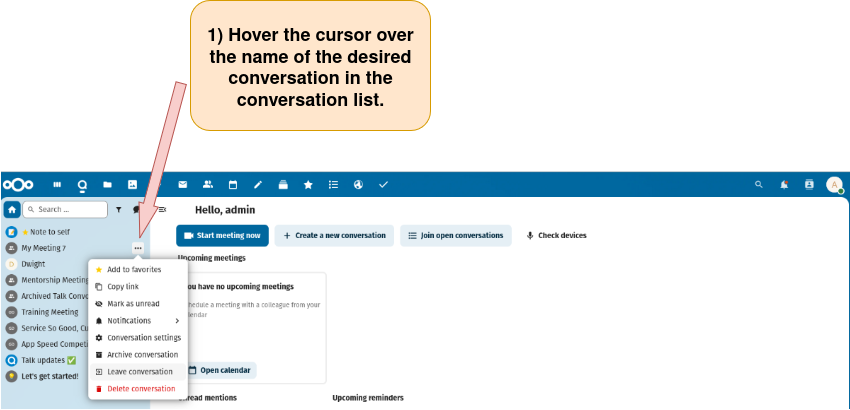
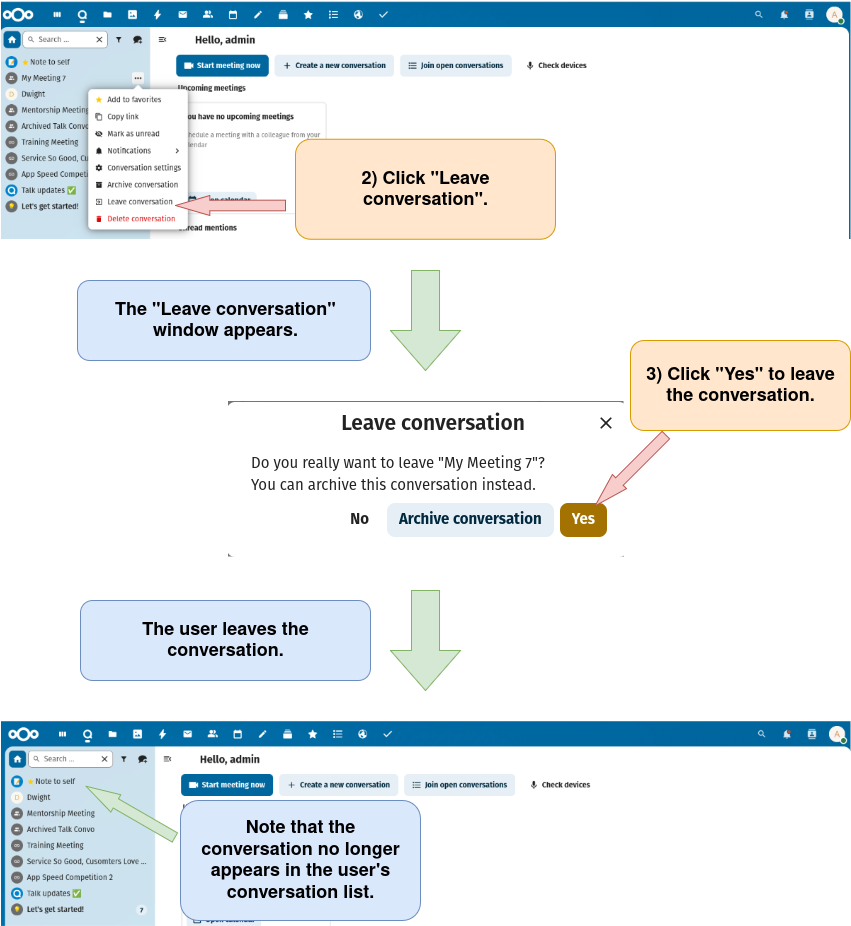
Option 1: Leave the conversation using the conversation list on the Nextcloud Talk homepage.
1) Find the Nextcloud Talk conversation as described here.