philip
1
Enable Notifications For “@-mentions” Only In Nextcloud Talk.
1) Log in to Nextcloud.
2) Navigate to Nextcloud Talk as described here.
3) Enable notifications for “@-mentions” only in Nextcloud Talk.
There are two options for enabling notifications for all messages.
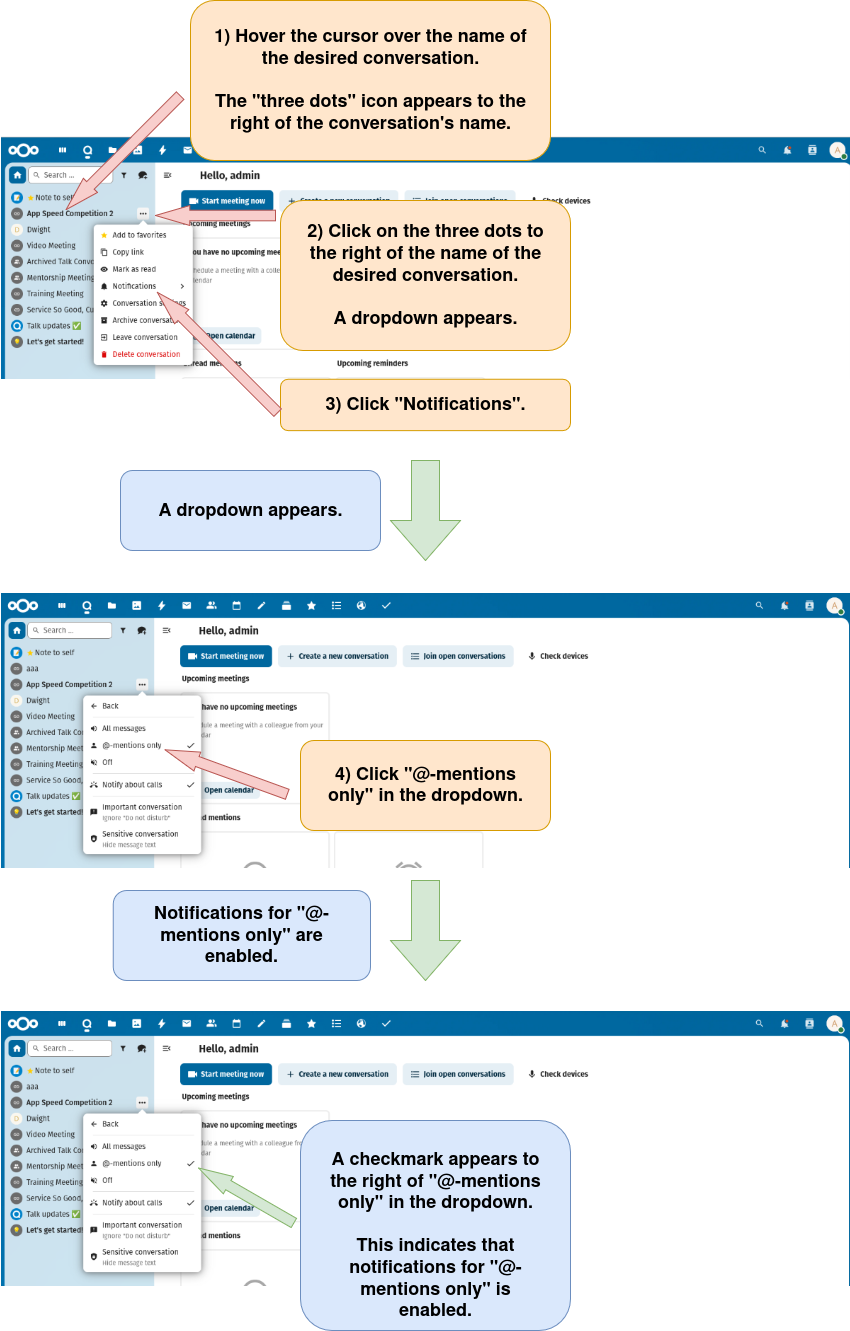
Option 1: Enable notifications for “@-mentions” through the conversation in the conversation list.
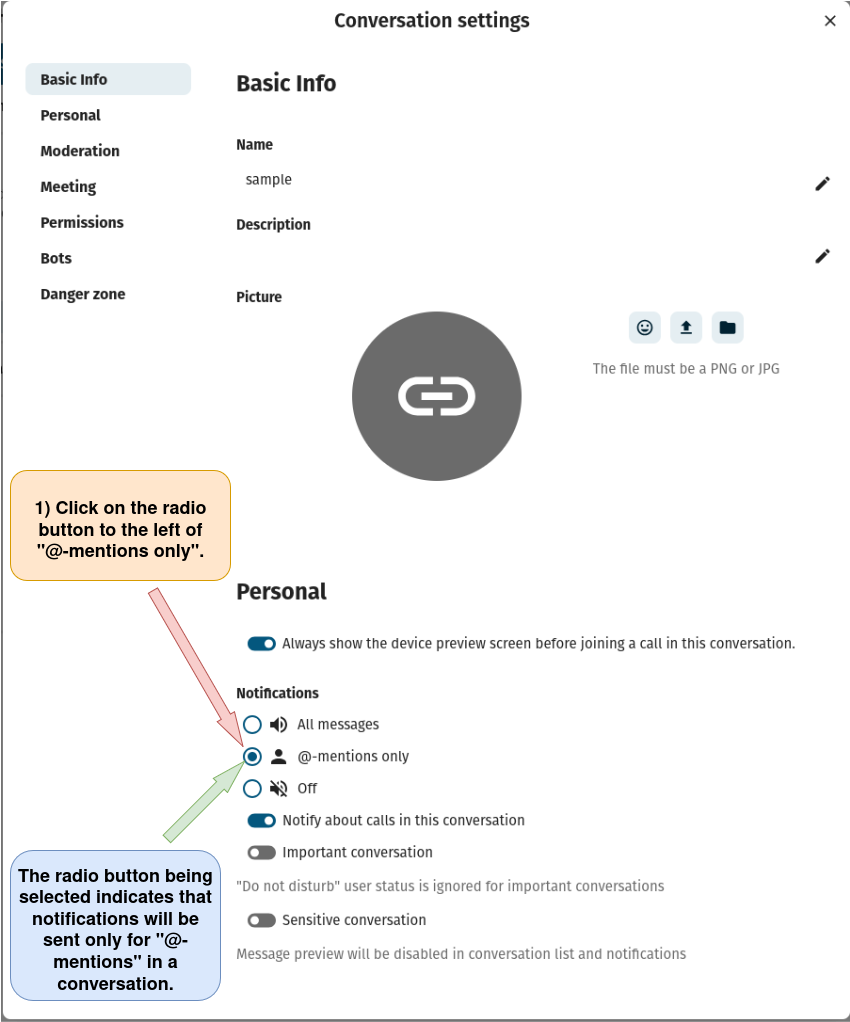
Option 2: Enable notifications for all messages through the “Conversation settings” window.
a) Open the “Conversation settings” window as described here.
b) Enable notifications for “@-mentions” only.