philip
1
Turn Off Notifications About Calls In A Nextcloud Talk Conversation
1) Log in to Nextcloud.
2) Navigate to Nextcloud Talk as described here.
3) Turn off notifications which indicate that a call was initiated within a Nextcloud Talk conversation.
There are two options for turning off notifications about calls in this conversation.
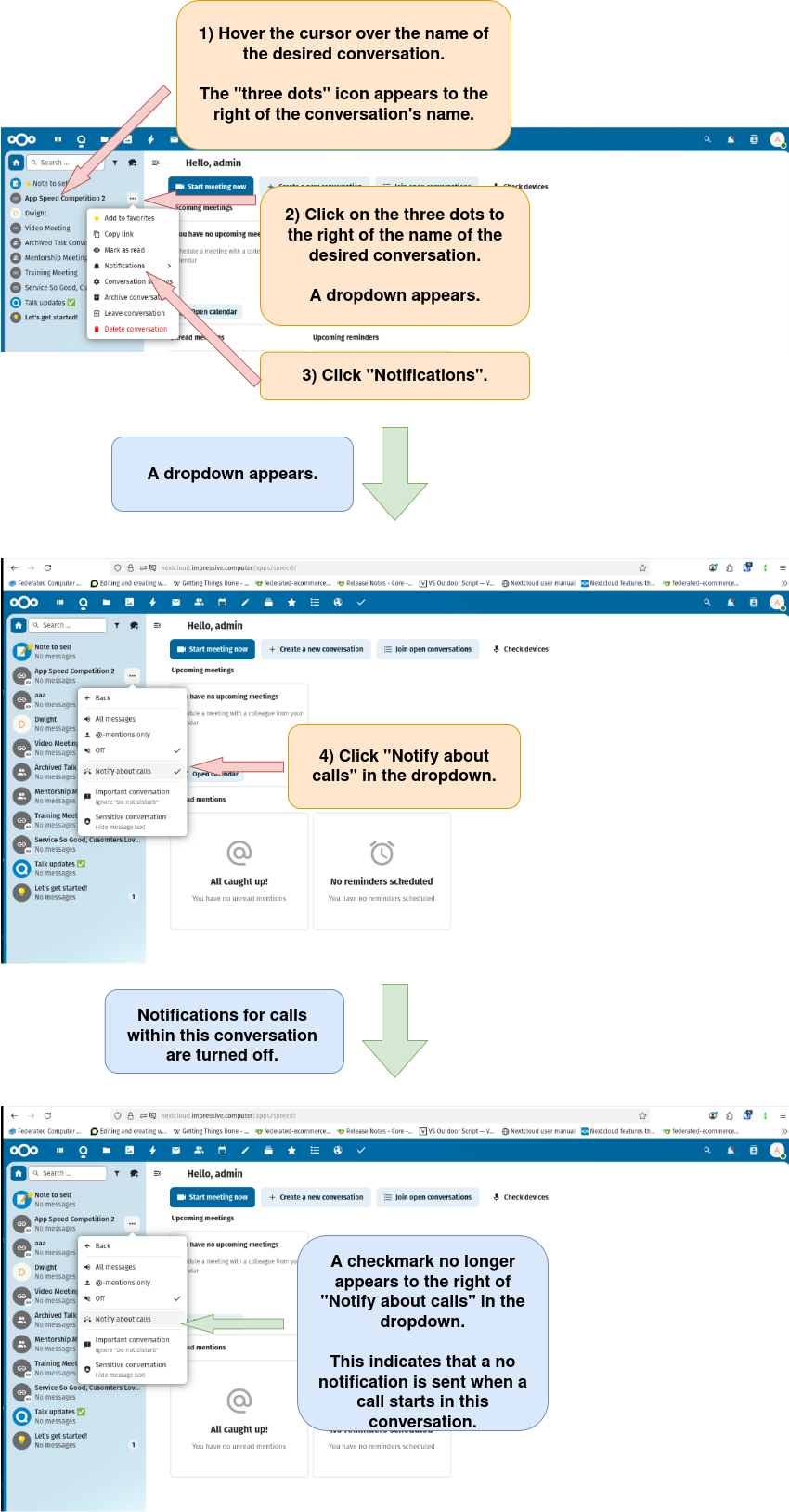
Option 1: Turn off notifications about calls in this conversation through the conversation list.
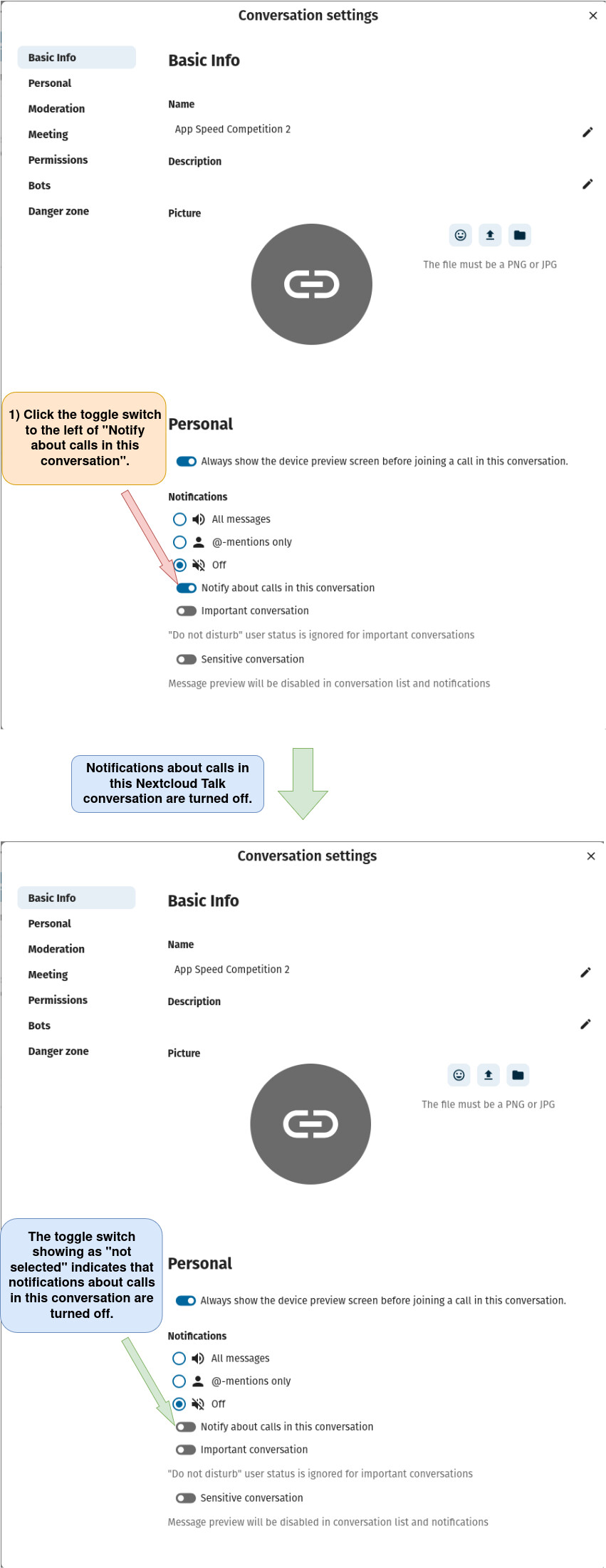
Option 2: Turn off notifications about calls in this conversation through the “Conversation settings” window.
a) Open the “Conversation settings” window as described here.
b) Turn on notifications about calls in this conversation.