philip
1
Enable “Turn Off Camera And Microphone By Default When Joining A Nextcloud Video Meeting.”
1) Log in to Nextcloud.
2) Navigate to Nextcloud Talk as described here.
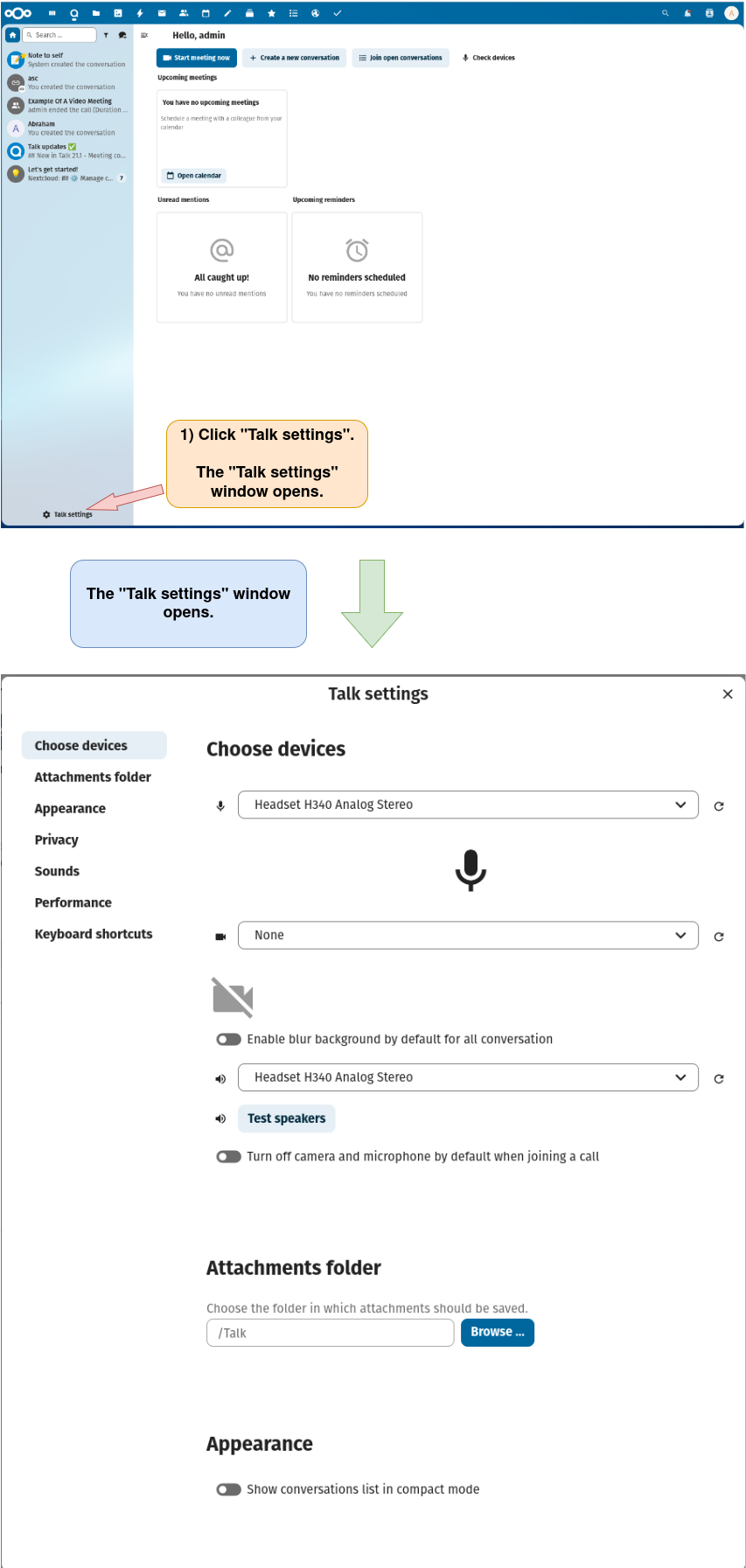
3) Open the “Talk settings” window.
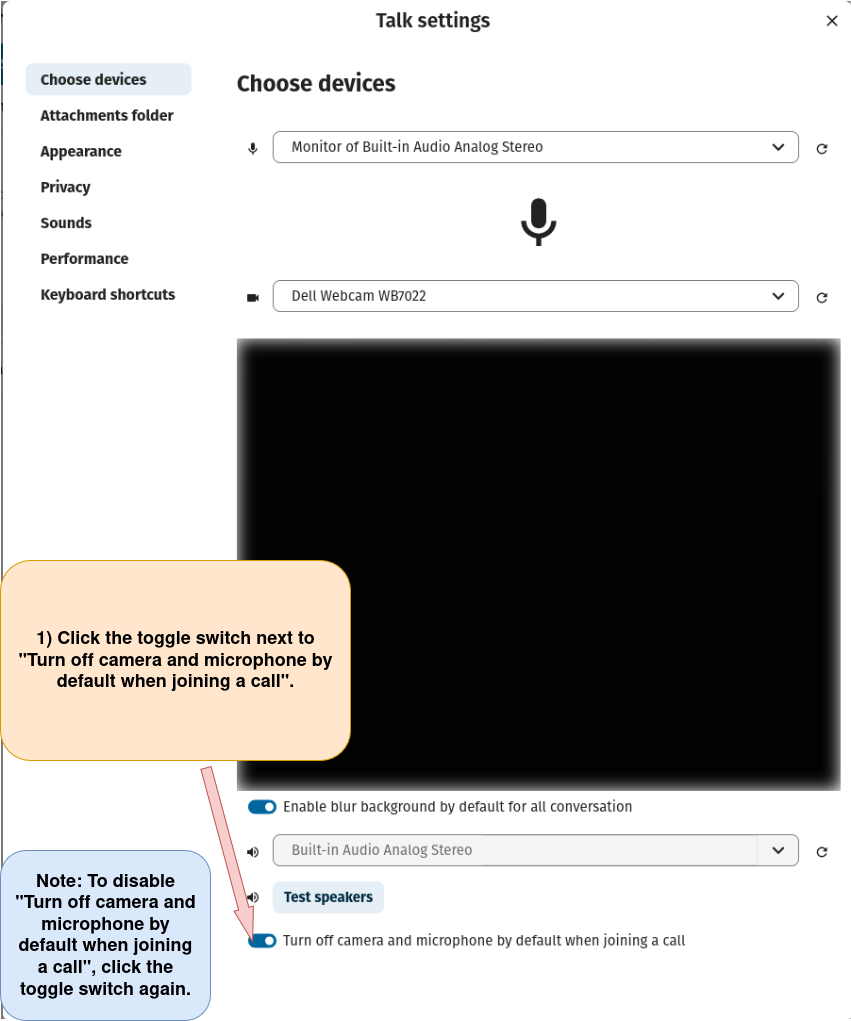
4) Enable “Turn off camera and microphone by default when joining a call.”