Set A Nextcloud Conversation As A "Sensitive Conversation", Hide Nextcloud Talk Conversation's Text

Note: When a Nextcloud Talk conversation is set as “sensitive”, it means that the most recent message will not appear under the conversation’s name in the conversation list and that notifications for the meeting are generalized (they do not show who caused the notification or a message in the notification).

Make A Conversation A Sensitive Conversation Whose Text Is Hidden, Nextcloud Talk
1) Log in to Nextcloud.

2) Navigate to Nextcloud Talk as described here.

3) Designate the conversation as a “sensitive conversation”.

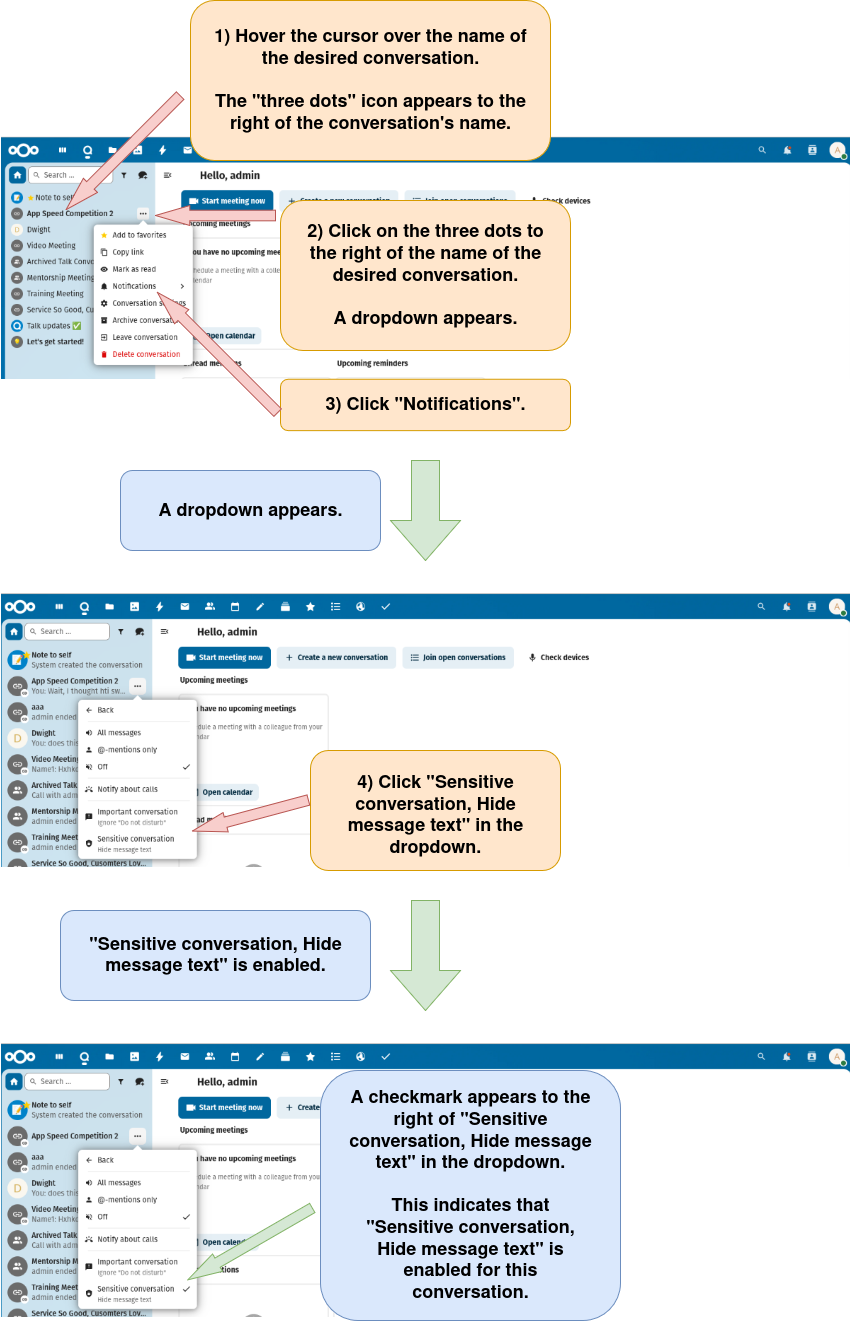
There are two options that can be used to designate a conversation as a “sensitive conversation”.

Option 1: Designate a conversation as a “sensitive conversation” using the conversation list.

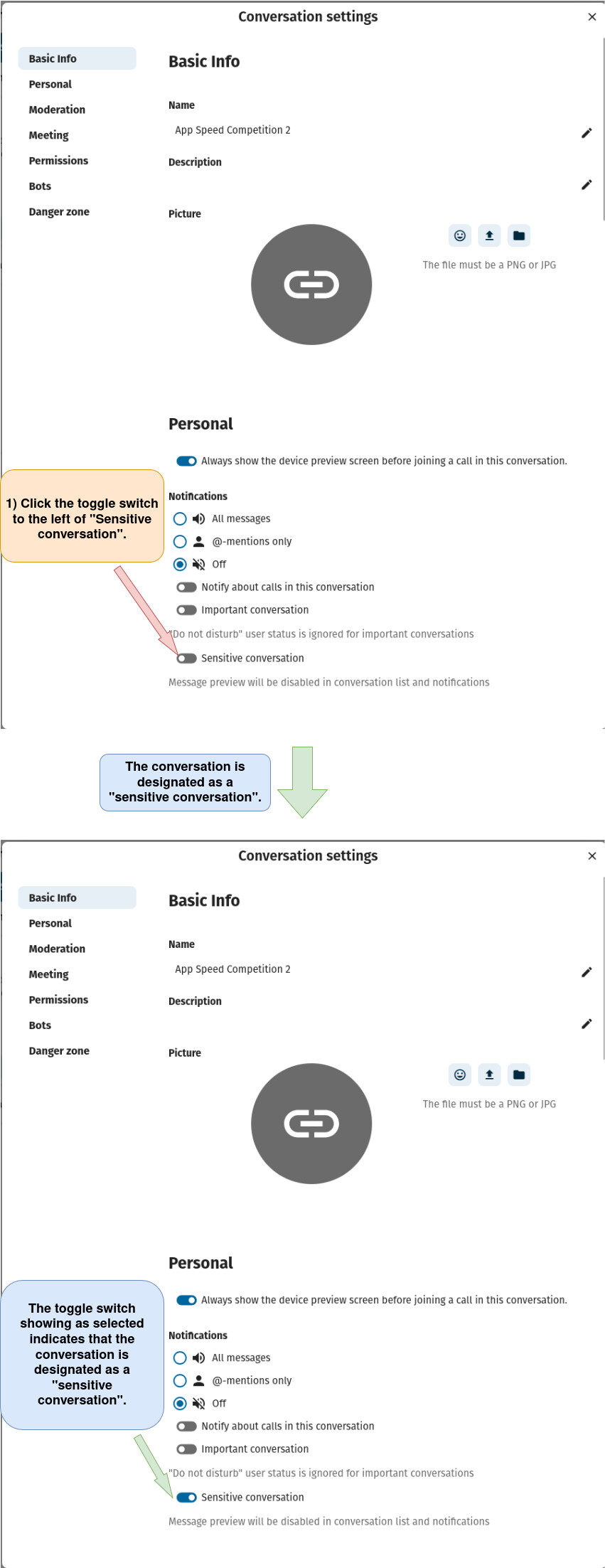
Option 2: Designate a conversation as a “sensitive conversation” using the “Conversation settings” window.

a) Open the “Conversation settings” window as described here.

b) Designate the conversation as a “sensitive conversation”.