philip
1
Select The Speaker/Audio Output To Use For A Nextcloud Talk Conversation or Video Meeting.
1) Log in to Nextcloud.
2) Navigate to Nextcloud Talk as described here.
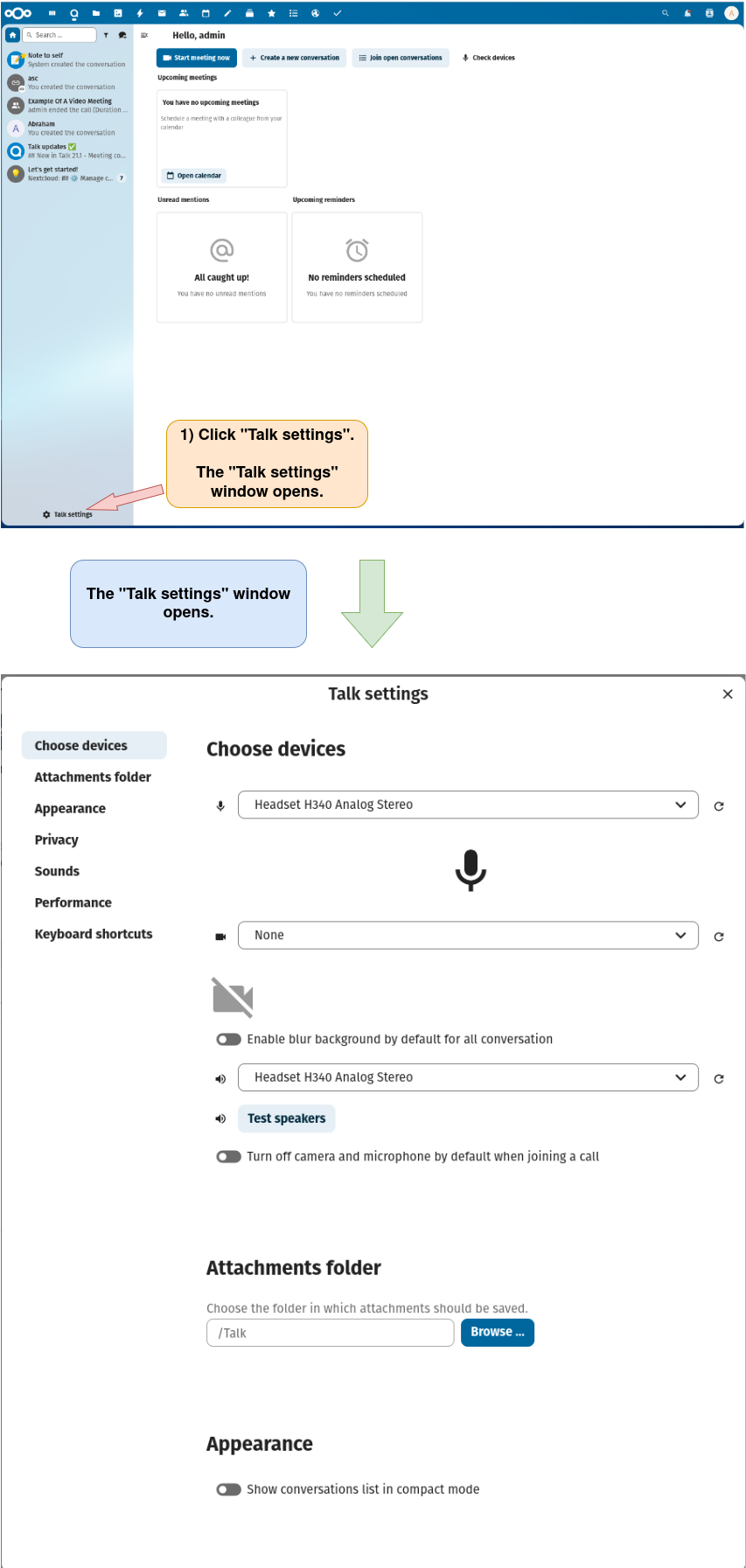
3) Open the “Talk settings” window.
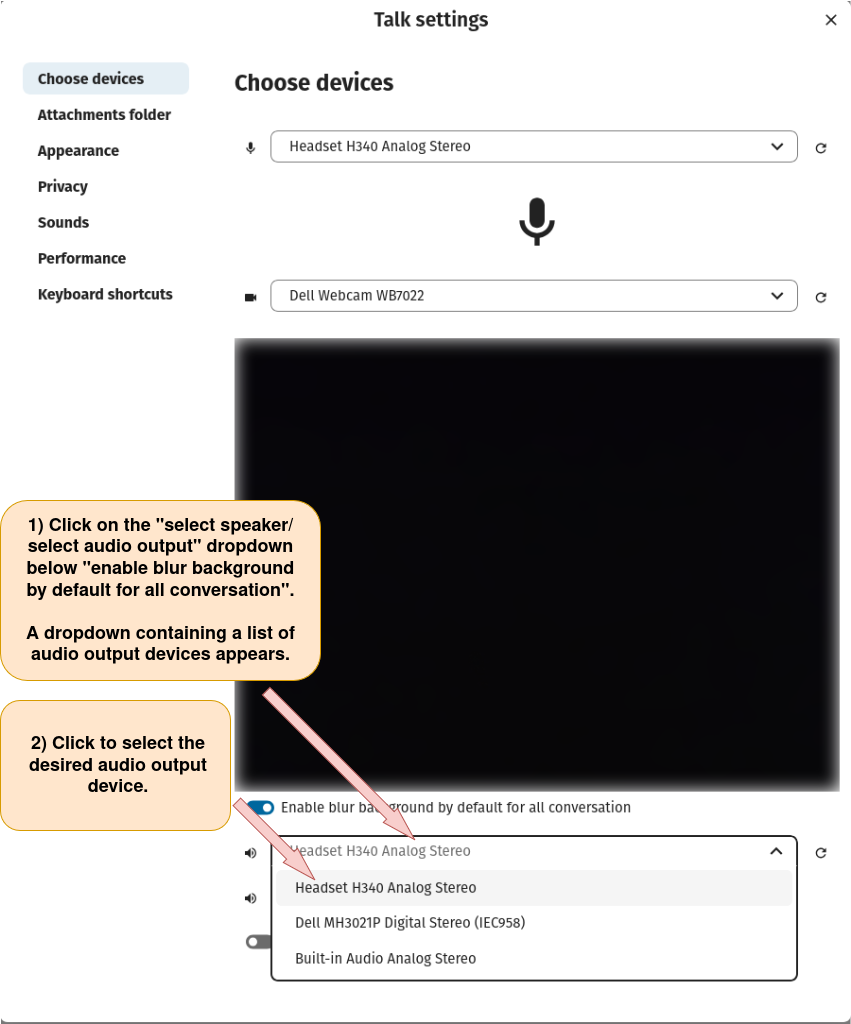
4) Select the speaker/audio output to use for a Nextcloud Talk conversations or video meetings.