philip
1
Select The Folder In Which Attachments From A Nextcloud Talk Conversation Or Video Meeting Will Be Saved.
1) Log in to Nextcloud.
2) Navigate to Nextcloud Talk as described here.
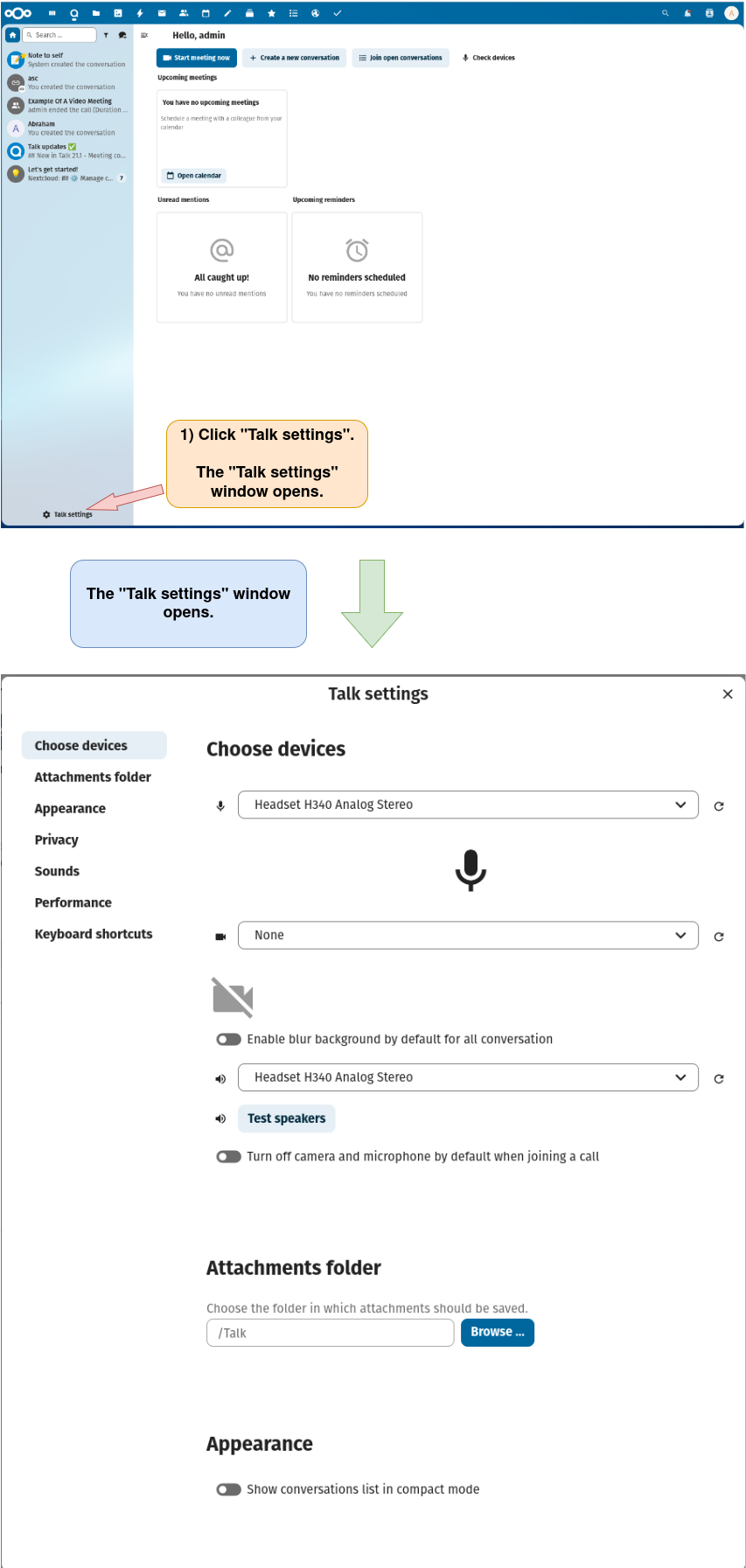
3) Open the “Talk settings” window.
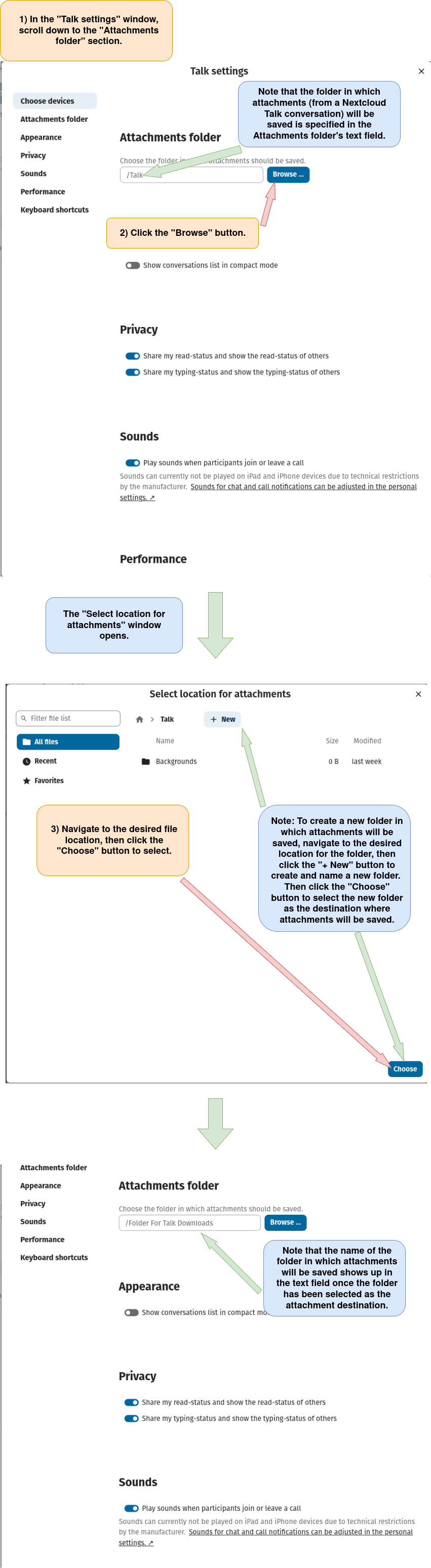
4) Select the folder in which attachments from a Nextcloud Talk conversation or video meeting will be saved.