philip
1
Restore An Archived Nextcloud Talk Conversation Or Video Meeting
1) Log in to Nextcloud.
2) Navigate to Nextcloud Talk as described here.
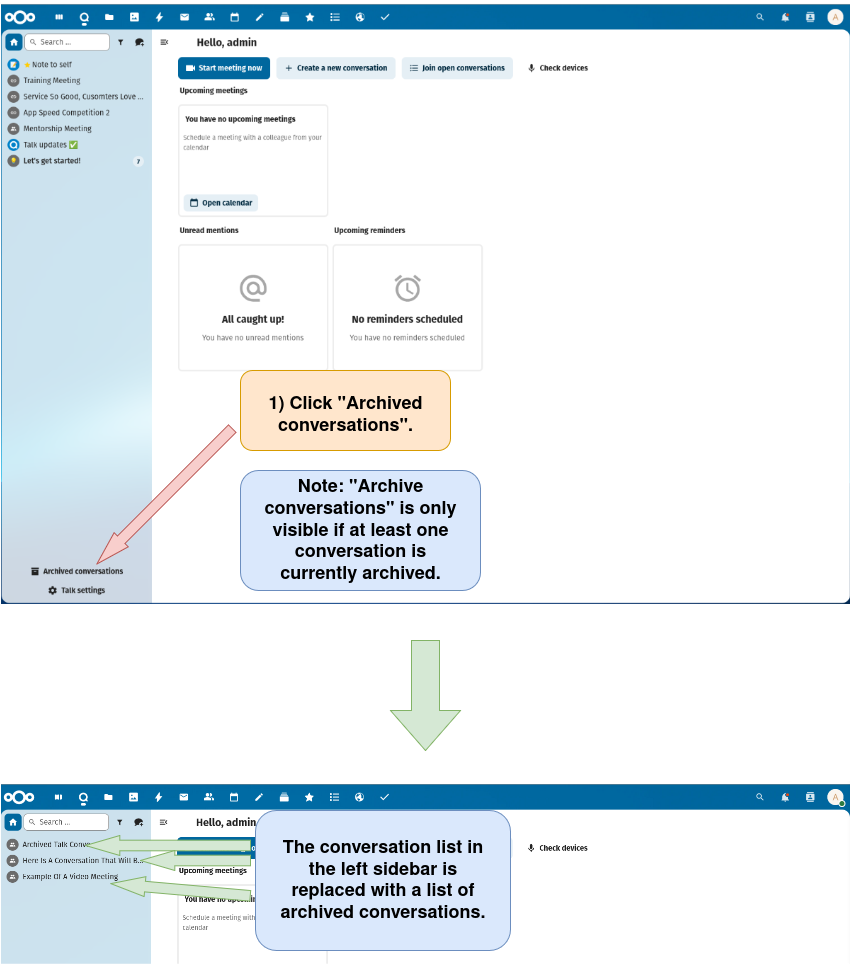
3) View the list of archived Nextcloud Talk conversations.
4) Restore an archived Nextcloud Talk conversation.
There are two options for restoring an archived Nextcloud Talk conversation.
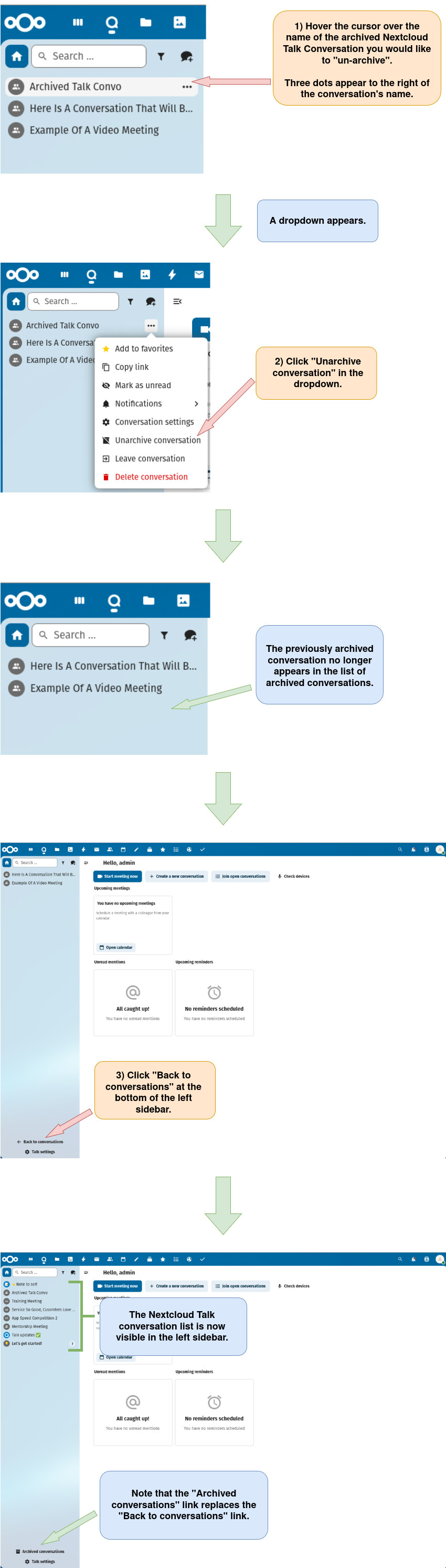
Option 1: Restore an archived conversation through the left sidebar.
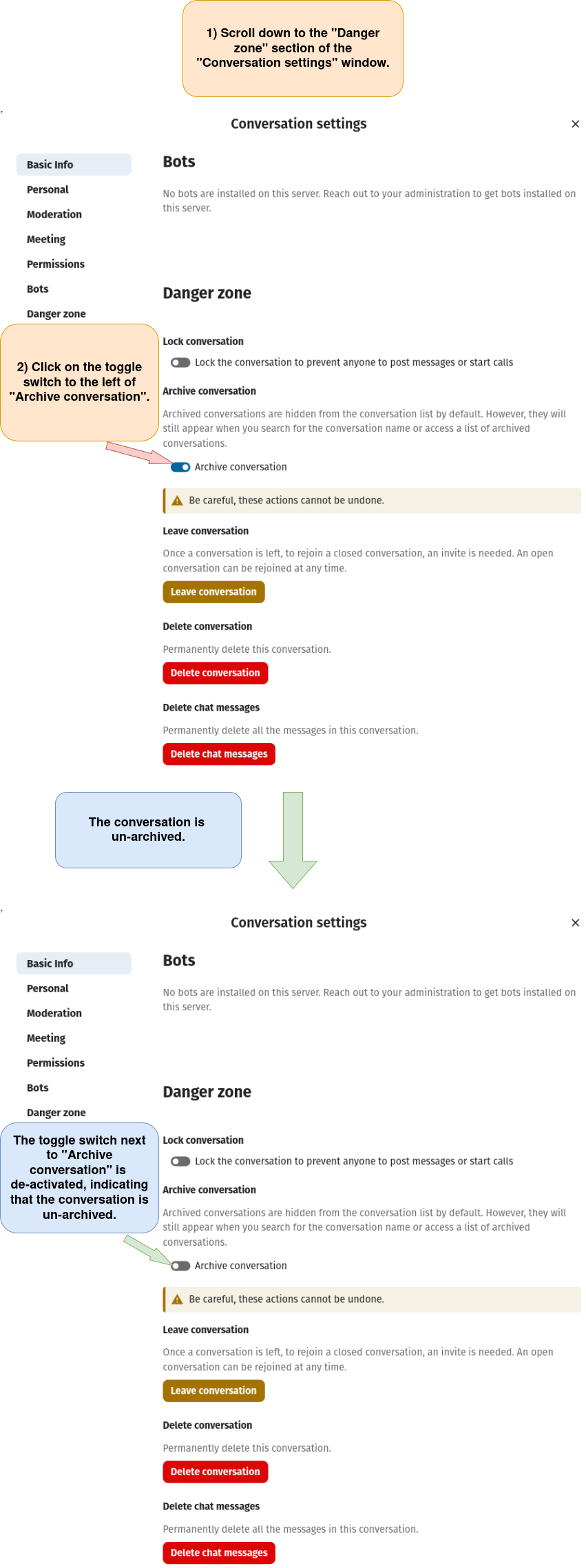
Option 2: Restore an archived conversation through the “Conversation settings” window.