Federated
Ignore "Do Not Disturb" For A Nextcloud Talk Conversation
Nextcloud
nextcloud-talk
philip
August 5, 2025, 1:09pm
1
Note: In order for “Do Not Disturb” to be ignored, “Do Not Disturb” must be enabled in the first place. For instructions on setting “Do Not Disturb” hours in Nextcloud Talk, click
here
.
Ignore “Do Not Disturb” For A Nextcloud Talk Conversation
1) Log in to Nextcloud.
2) Navigate to Nextcloud Talk as described
here
.
3) Set “Ignore Do not disturb” for this conversation.
There are two options for setting “Ignore Do Not Disturb” in Nextcloud Talk conversation.
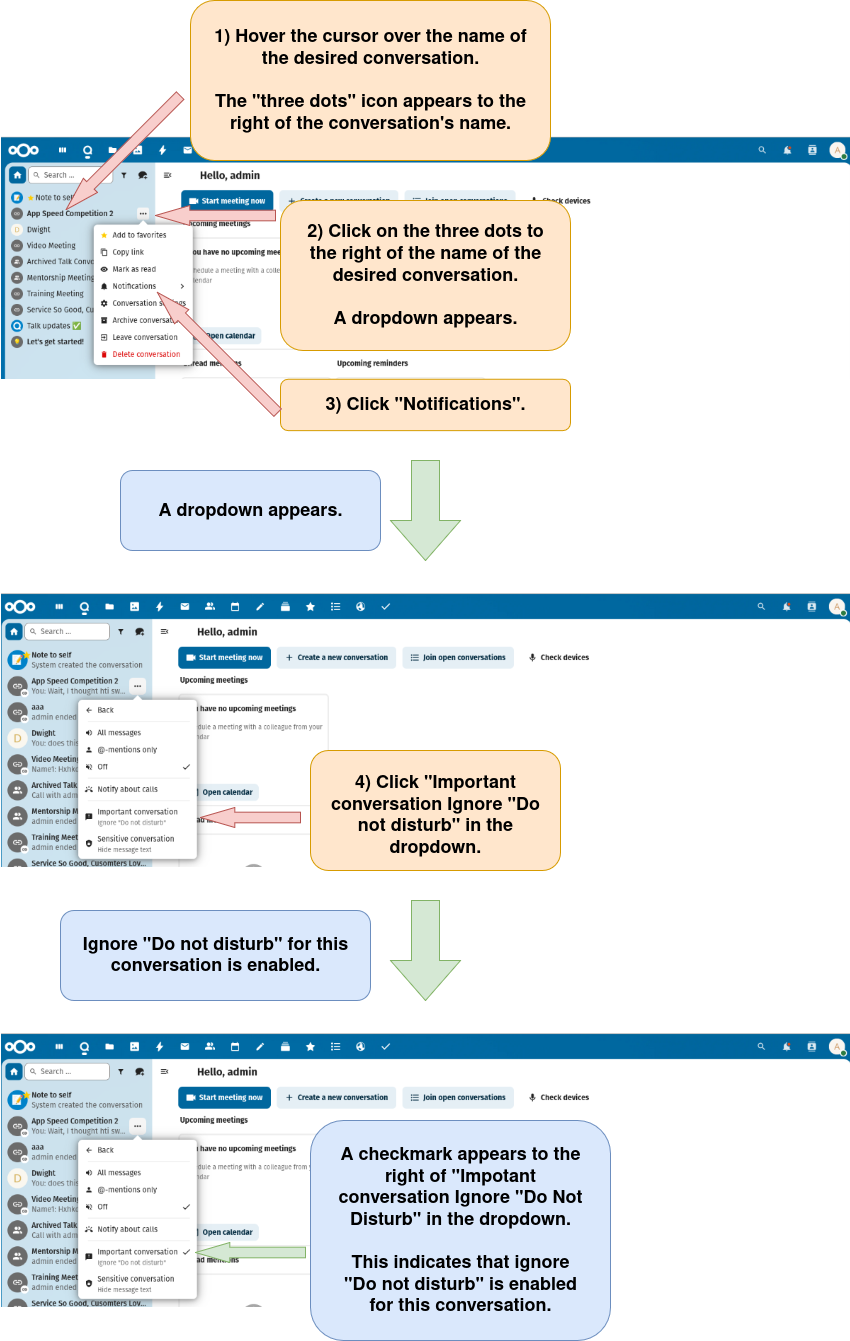
Option 1: Set “Ignore Do not disturb” using the conversation list.
image
850×1341 312 KB
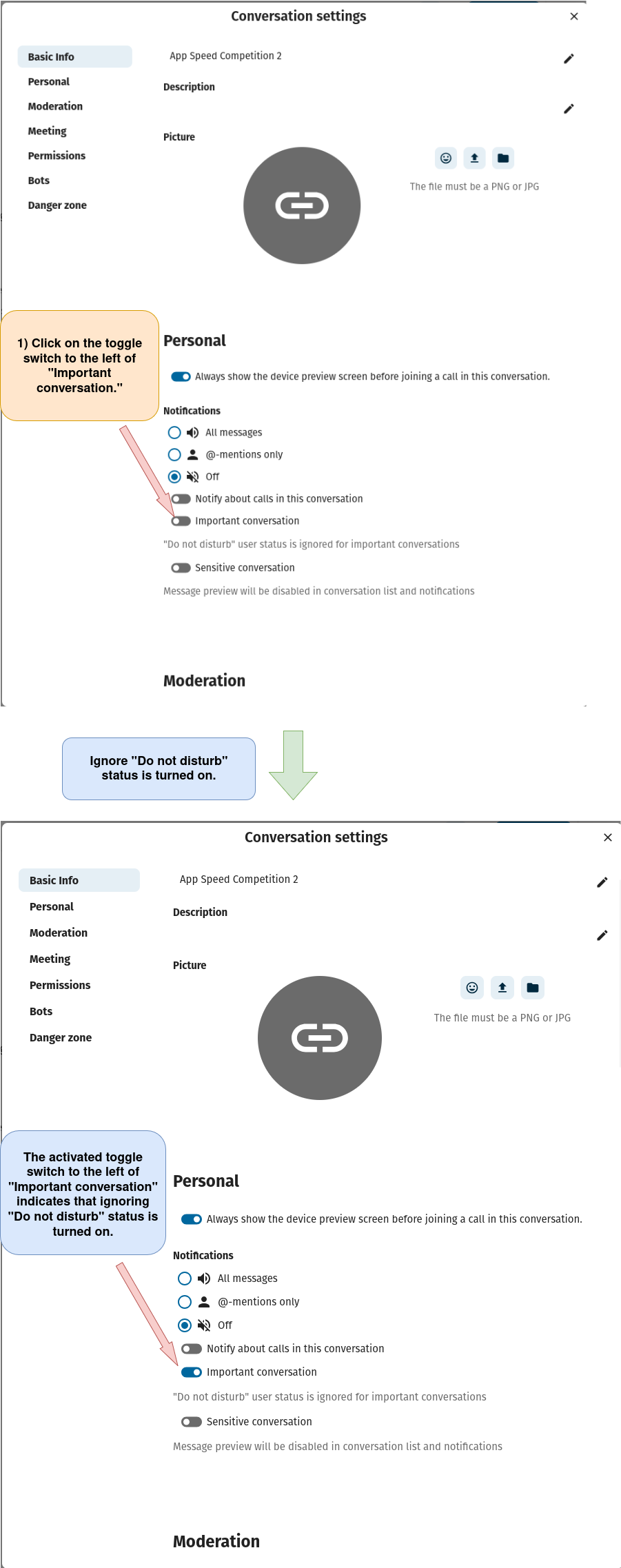
Option 2: Set “Ignore Do Not Disturb” using the “Conversation settings” window.
a) Open the “Conversation settings” window as described
here
.
b) Set “Ignore Do Not Disturb”.
image
901×2275 243 KB