philip
1
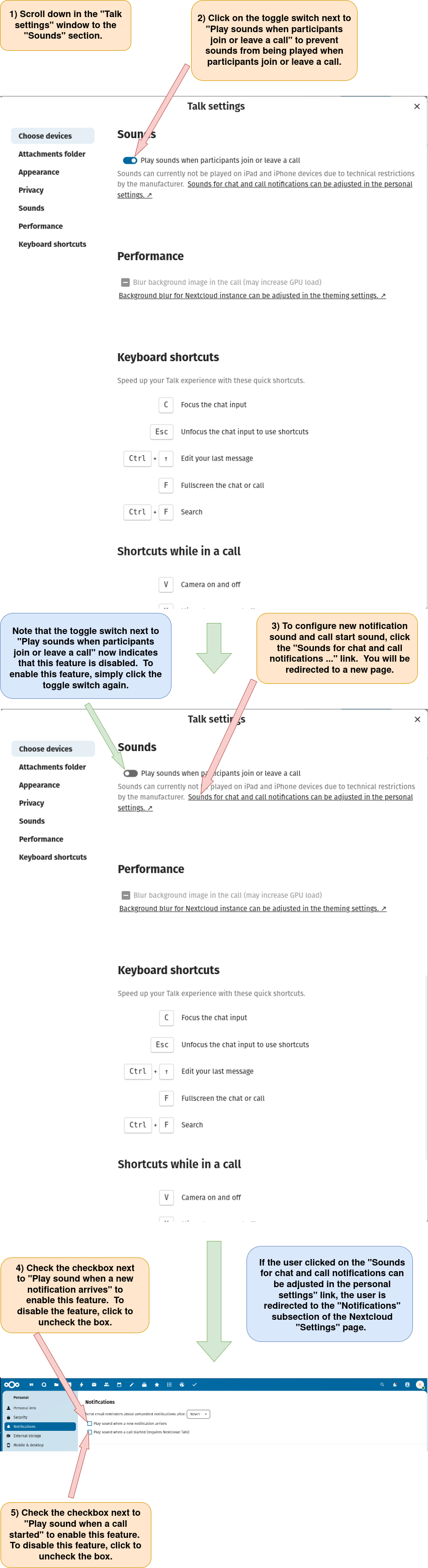
Enable or disable sounds to be played when participants join or leave a call, when a new notification arrives, or when a call starts.
1) Log in to Nextcloud.
2) Navigate to Nextcloud Talk as described here.
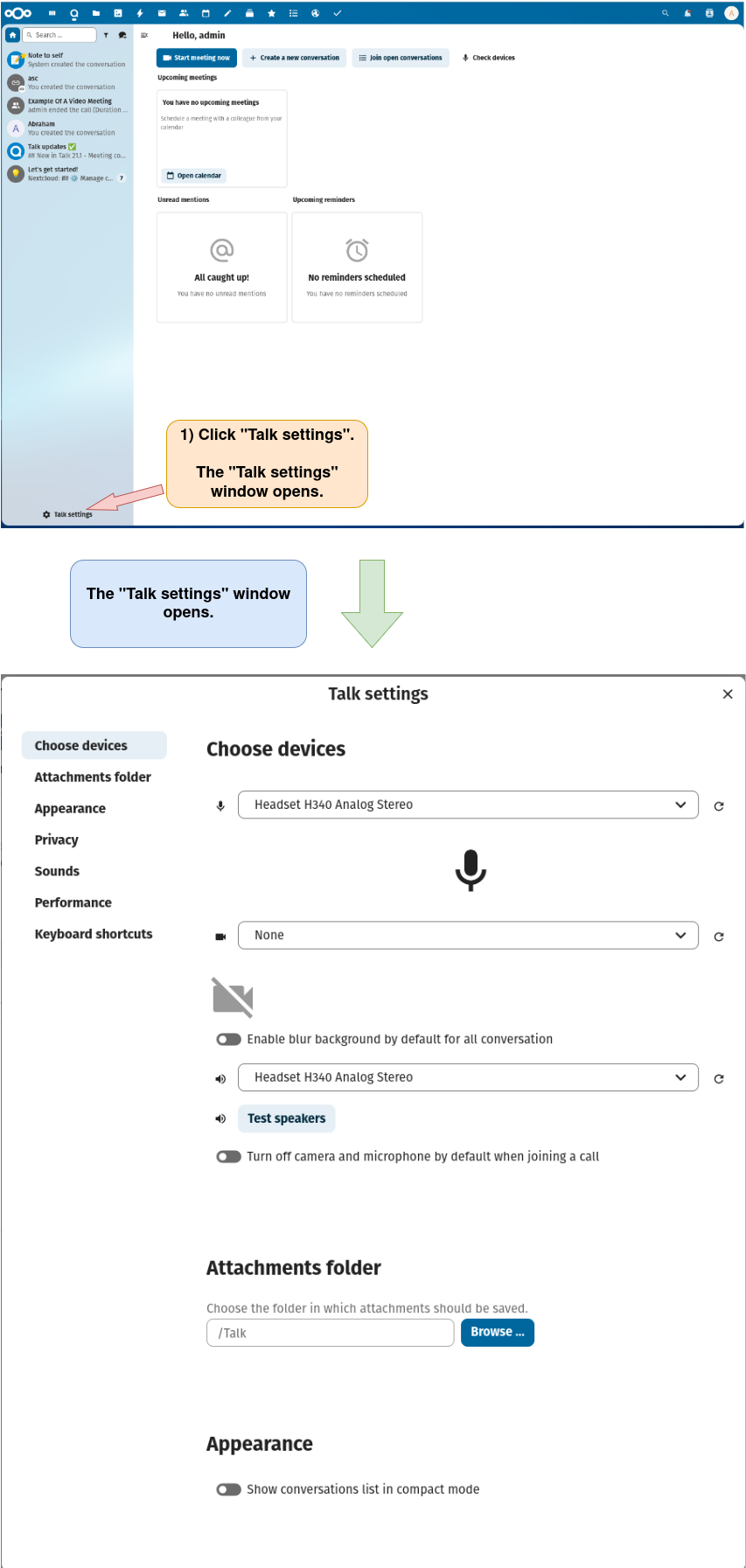
3) Open the “Talk settings” window.
4) Enable or disable sounds to be played when participants join or leave a call, when a new notification arrives, or when a call starts.