Forwarding
Let’s assume we want to forward email from user@domain.com to user@gmail.com (or even user2@domain.com) where user is your particular user and domain.com is your particular domain.
If using Amazon SES as a relay, the forward will work if the ORIGINATING email is from a domain.com address but it will fail if the originating email is from a non domain.com address.
Example: we want to forward from david@federated.computer to david@gmail.com.
a) sally@federated.computer (same domain) sends an email to david@federated.computer. It WILL forward successfully to david@gmail.com.
b) sally@mac.com (different domain) sends an email to david@federated.computer. It will NOT forward successfully to david@gmail.com.
Why?
Amazon SES is a relay registered to work with domain.com (in this case federated.computer) and so will reject email it is asked to send on from address that are not federated.computer. It see’s the, in case (b), the mac.com domain for Sally and when it attempts to send an email from sally@mac.com to david@gmail.com (this is a “forward”, retain the original “from” and send it on…), Amazon SES rejects the mail because mac.com is NOT registered.
Note, the SAME would be true from a forward set up from david@federated.computer to donald@federated.computer. The original sender, the “from” either is or is not registered with AmazonSES.
All forwards will work fine if not using Amazon SES and just using a stock Federated Core.
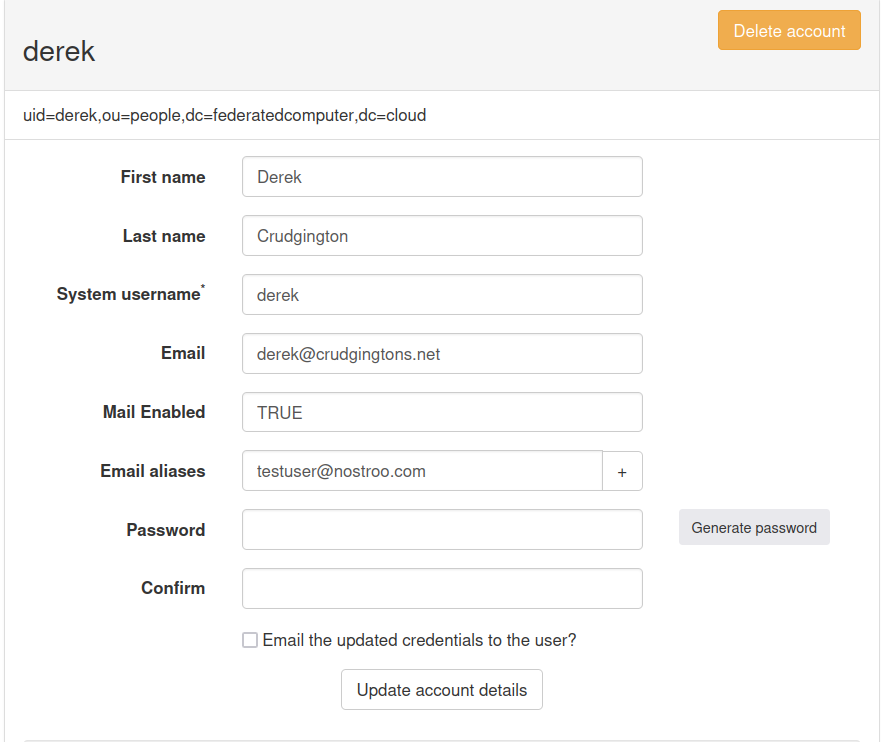
If using Amazon SES as a relay, then configuring an alias to forward mail to another email with the same domain as the Federated Core, will work. You have to set the “Email” field as the email address to forward to, then the “Email Aliases” field to the real email user. Those are set in at Panel (https://panel.domain.com).
Well, crap. We want to use Amazon SES to improve our email “deliverability” but we also want to forward. Is there no way around this?
Yes.
Use aliases in Panel. If I want to get derek@federated.computer email (maybe while he is out-of-town), I add that address in Panel to my account (david@federated.computer). I can also use “account delegation” so that I can send email “as” derek@federated.computer.
Additionally, if you want to send mail from a mailbox to another mailbox, you can also do this using a wide variety of email clients.
Accepting aliased mail from a domain that isn’t assigned for that Core
- Create MX record on otherdomain.com DNS for mail.otherdomain.com MX priority 10
- Create A record for mail.otherdomain.com to point to the IP of the Core
- Assign in panel under mail aliases the account from (eg user@otherdomain.com) they want to accept mail for
Below is an example of a Core assigned with crudgingtons.net but accepting mail for testuser@nostroo.com as well.