philip
1
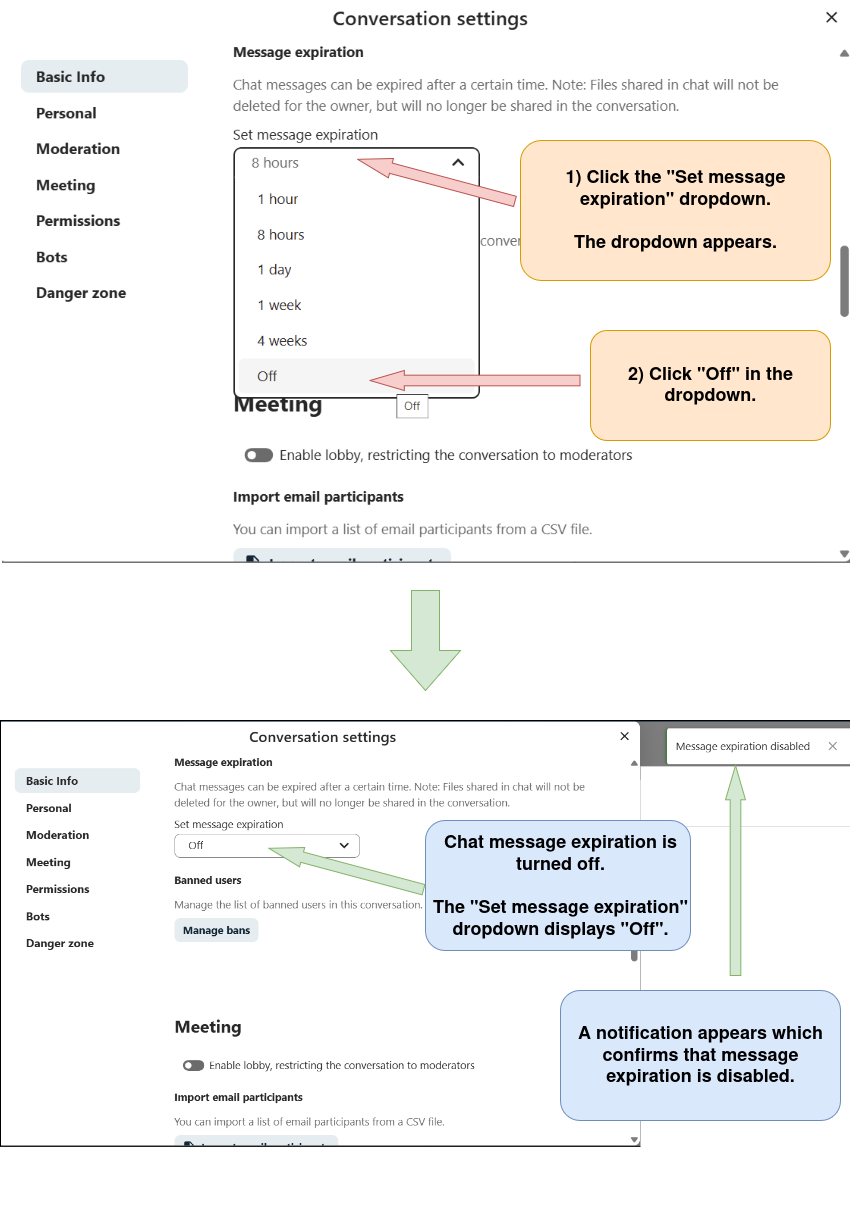
Disable Chat Message Expiration In Nextcloud Talk, Prevent Chat Messages From Disappearing After A Certain Time In Nexcloud Talk
1) Log in to Nextcloud.
2) Navigate to Nextcloud Talk as described here.
3) Open the “Conversation settings” menu as described here.
4) Disable chat message expiration.