Create A Collection
For a thorough explanation of what a Vaultwarden collection is,
click this link.
1) Log in to Vaultwarden using an account with admin privileges
Once a user logs in to Vaultwarden, the “Password Manager” page opens.

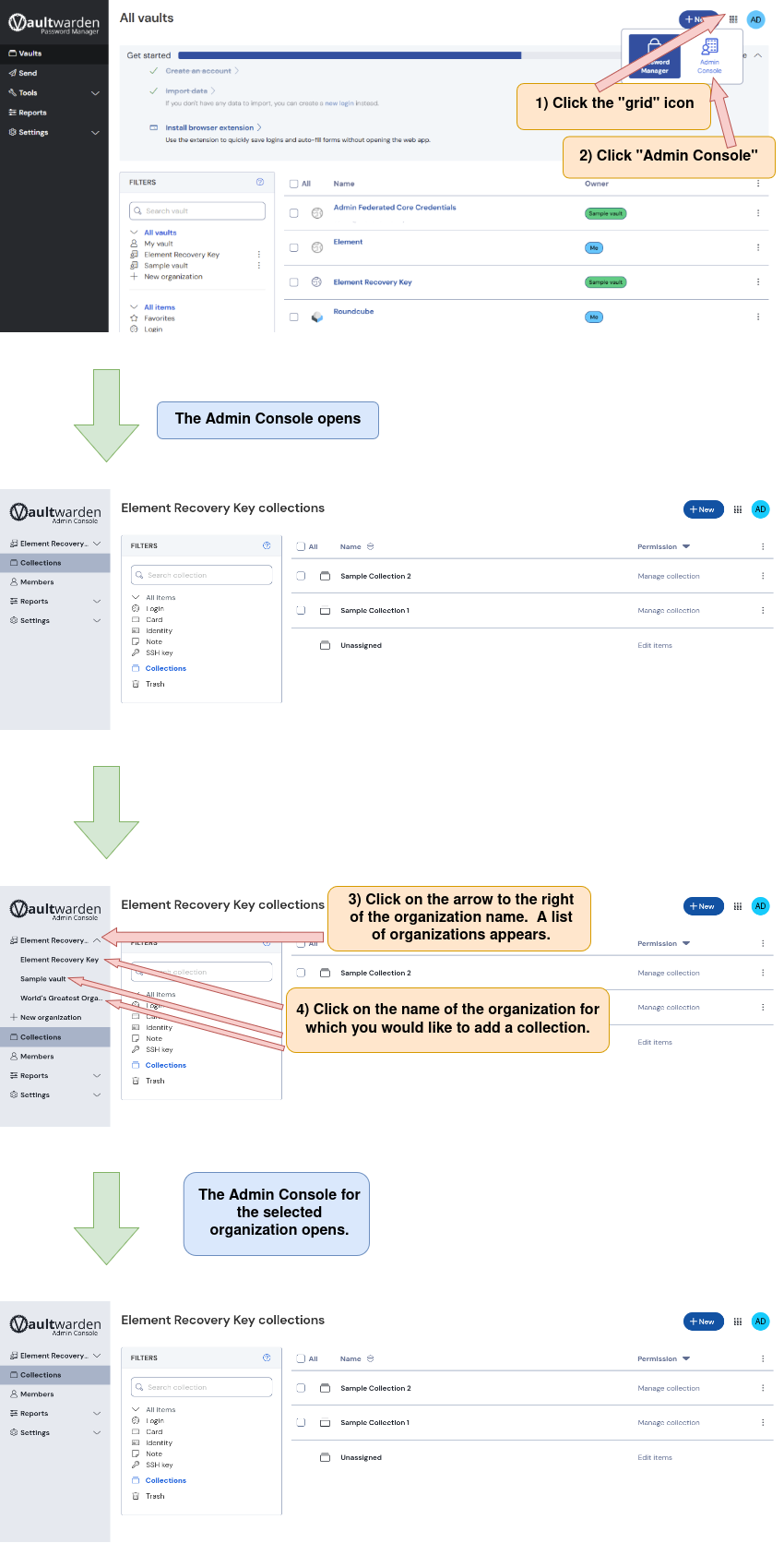
2) Navigate to the organization for which you would like to create a collection.
An organization can be accessed from either the Password Manager or from the Admin Console.
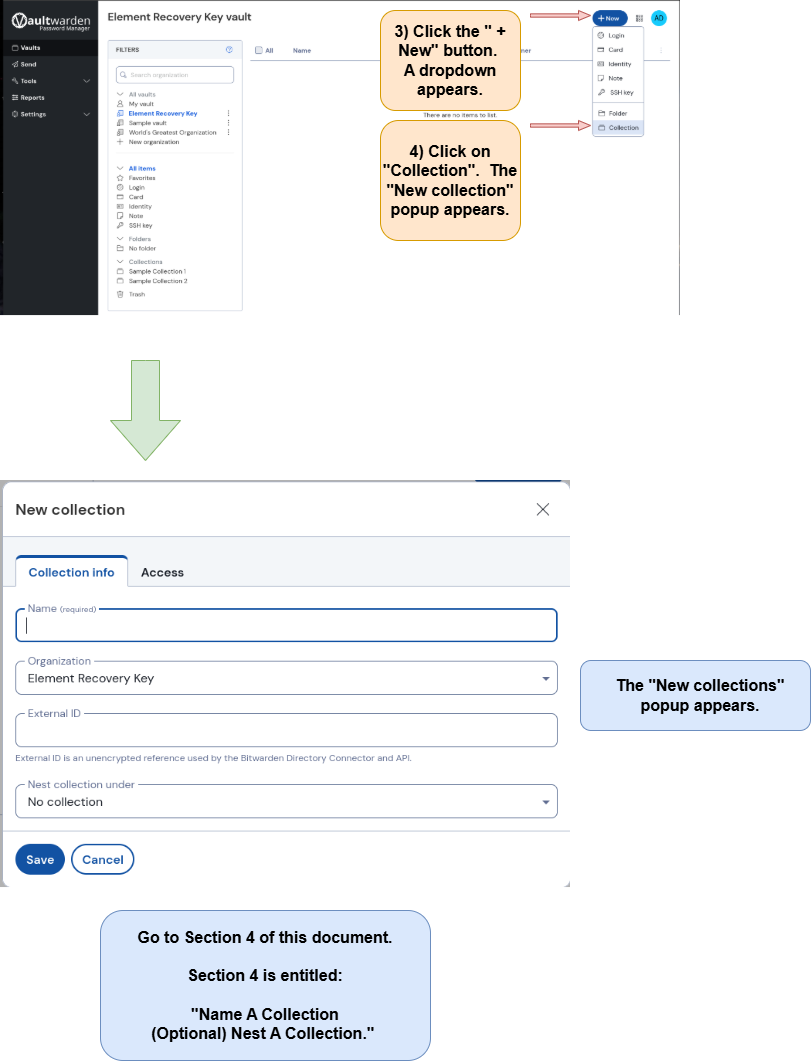
Option 1: Navigate to a collection from the “Password Manager” page.
On the “Vaults” page, click the name of the organization for which you would like to create a collection.

The “Create An Organization”
document is located here.
Option 2: Navigate to a collection from the “Admin Console” page
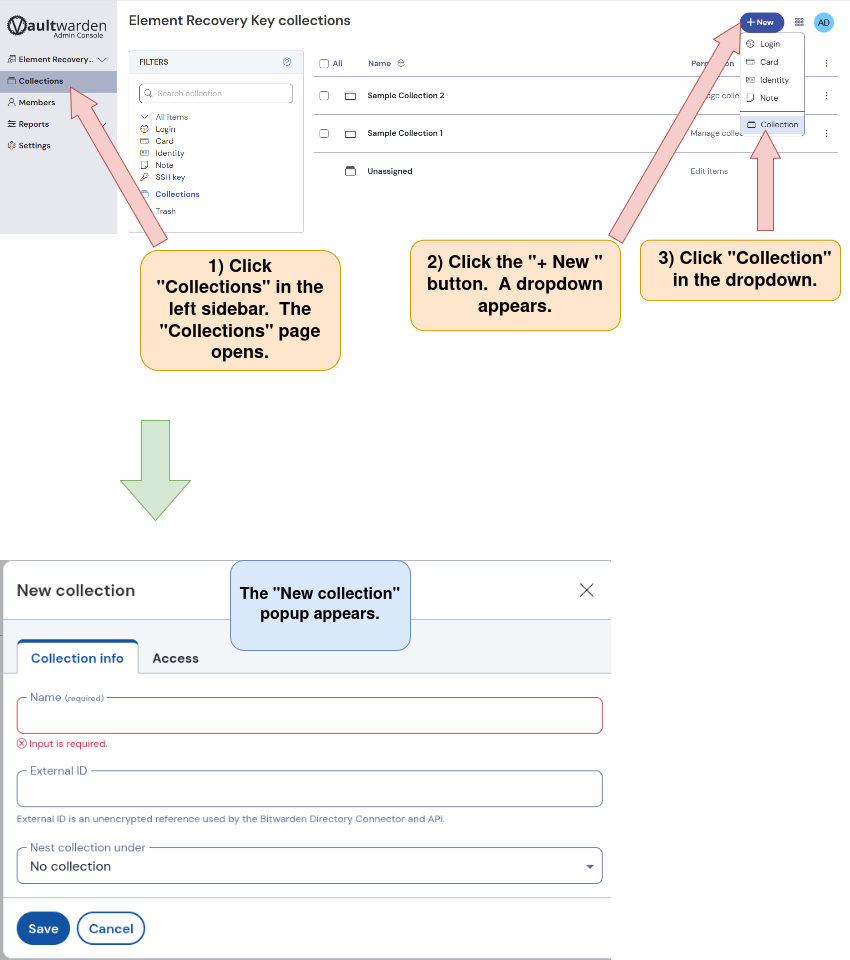
3) Open the Collections page and begin creating a new collection
4) Name a collection.
(Optional) Nest a collection.

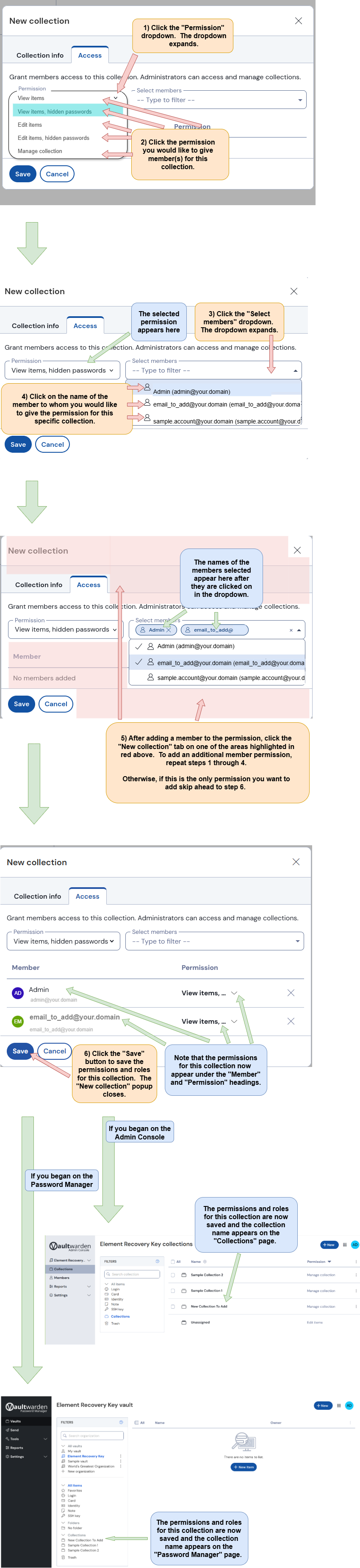
5) Define user permissions for a collection
The “Access” tab in the “New collection” popup has been clicked, opening the “Access” tab. Follow the directions below.