philip
1
Configure The Microphone, Camera, and Speaker Used On A Video Call
1) Log in to Nextcloud.
2) Navigate to Nextcloud Talk as described here.
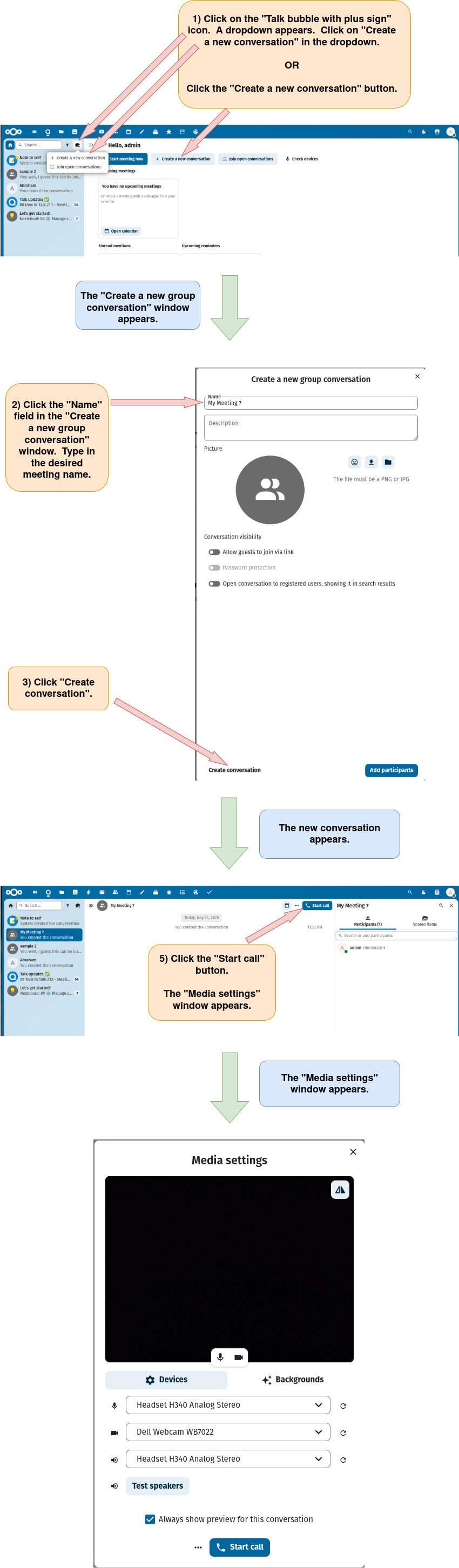
3) Open the “Media Settings” Window
There are two different ways to open the “Media Settings” window.
Option 1: Open the “Media Settings” window directly from the main Nextcloud Talk page.
Option 2: Open the “Media Settings” window after first creating a new Nextcloud conversation (chat).
4) Select and assign the desired media devices.