philip
1
Archive A Nextcloud Talk Conversation
1) Log in to Nextcloud.
2) Navigate to Nextcloud Talk as described here.
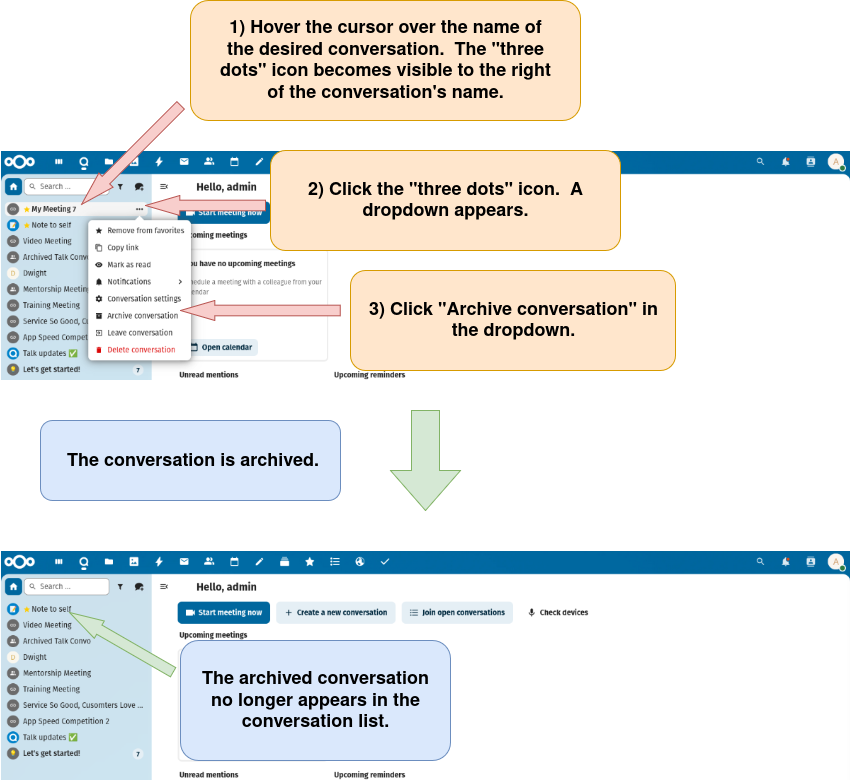
3) Archive the conversation.
There are two options for archiving a conversation.
Option 1: Archive the conversation through the left sidebar.
Option 2: Archive the conversation through the left sidebar.
Note that after a conversation is archived, it must be viewed in “Archived conversations” as described here.