philip
1
Upload Photo From Device For Use As Nextcloud Talk Conversation’s Photo
1) Log in to Nextcloud.
2) Navigate to Nextcloud Talk as described here.
3) Open the “Conversation settings” window as described here.
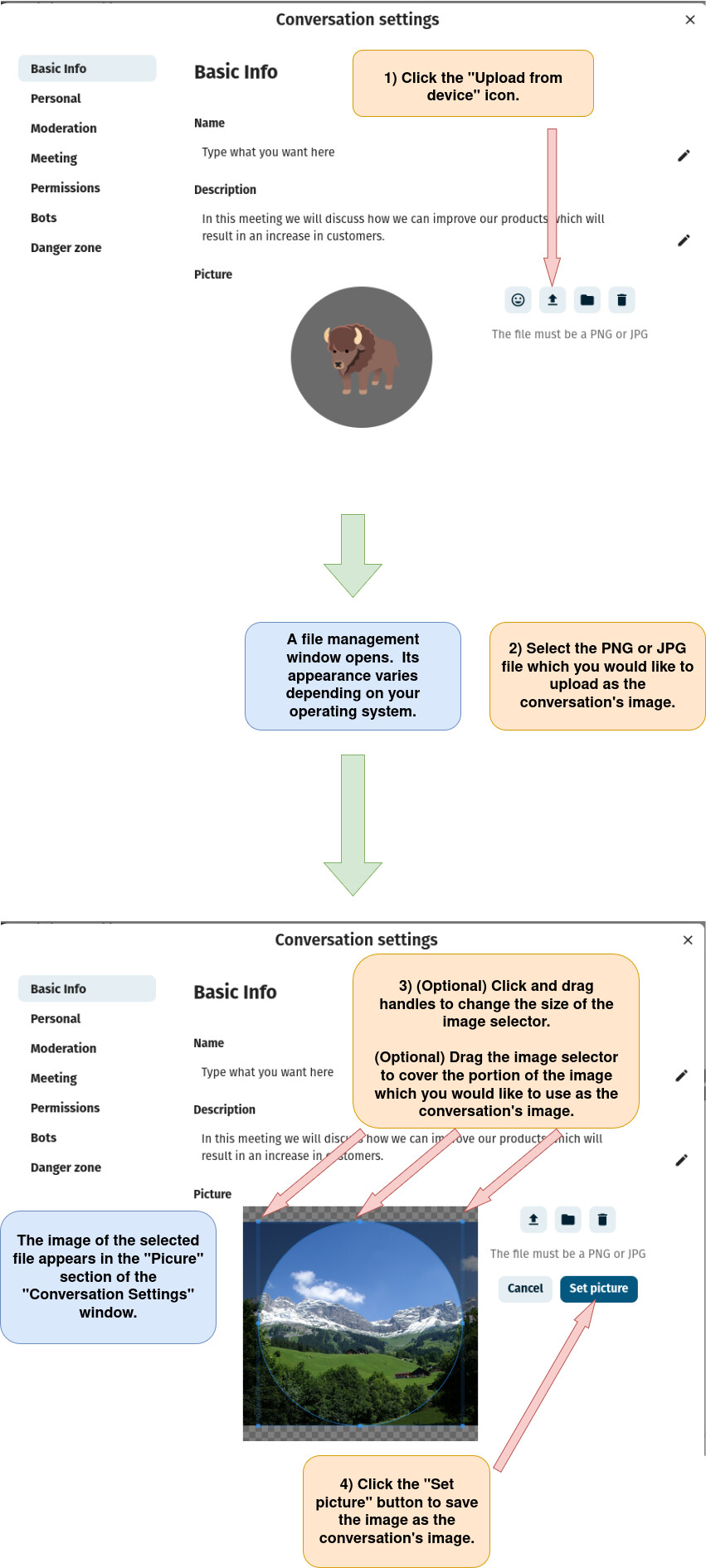
4) Upload a photo from a device for use as a conversation photo.
Edit A Nextcloud Talk Conversation Photo By Uploading A Photo From Nextcloud Files
1) Log in to Nextcloud.
2) Navigate to Nextcloud Talk as described here.
3) Open the “Conversation settings” window as described here.
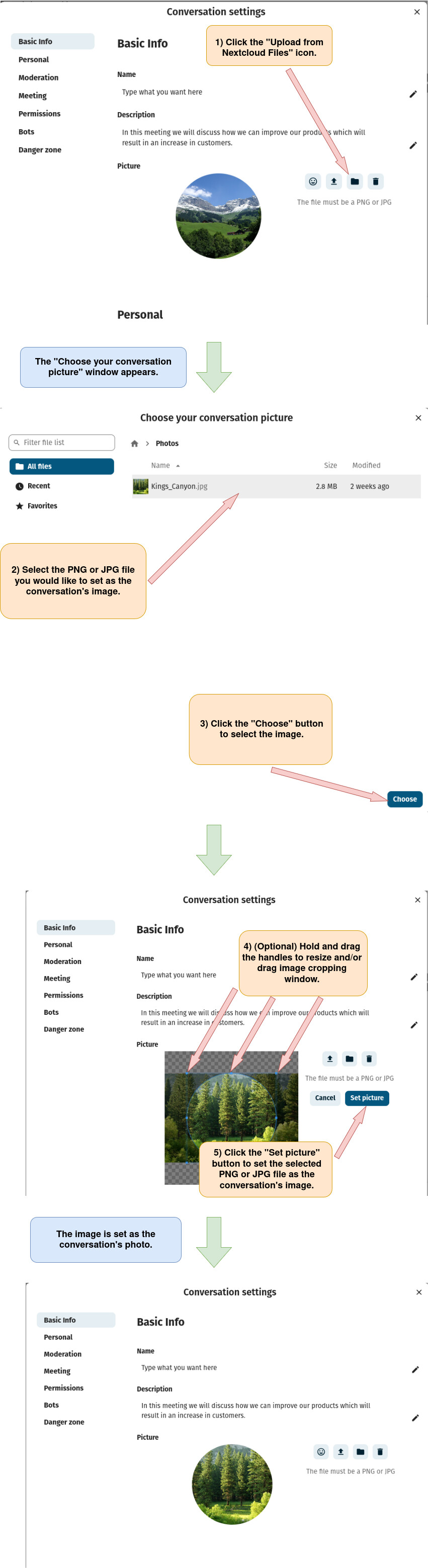
4) Upload a photo from Nextcloud Files for use as a conversation’s photo.
Edit A Conversation’s Emoji In Nextcloud Talk
1) Log in to Nextcloud.
2) Navigate to Nextcloud Talk as described here.
3) Open the “Conversation settings” window as described here.
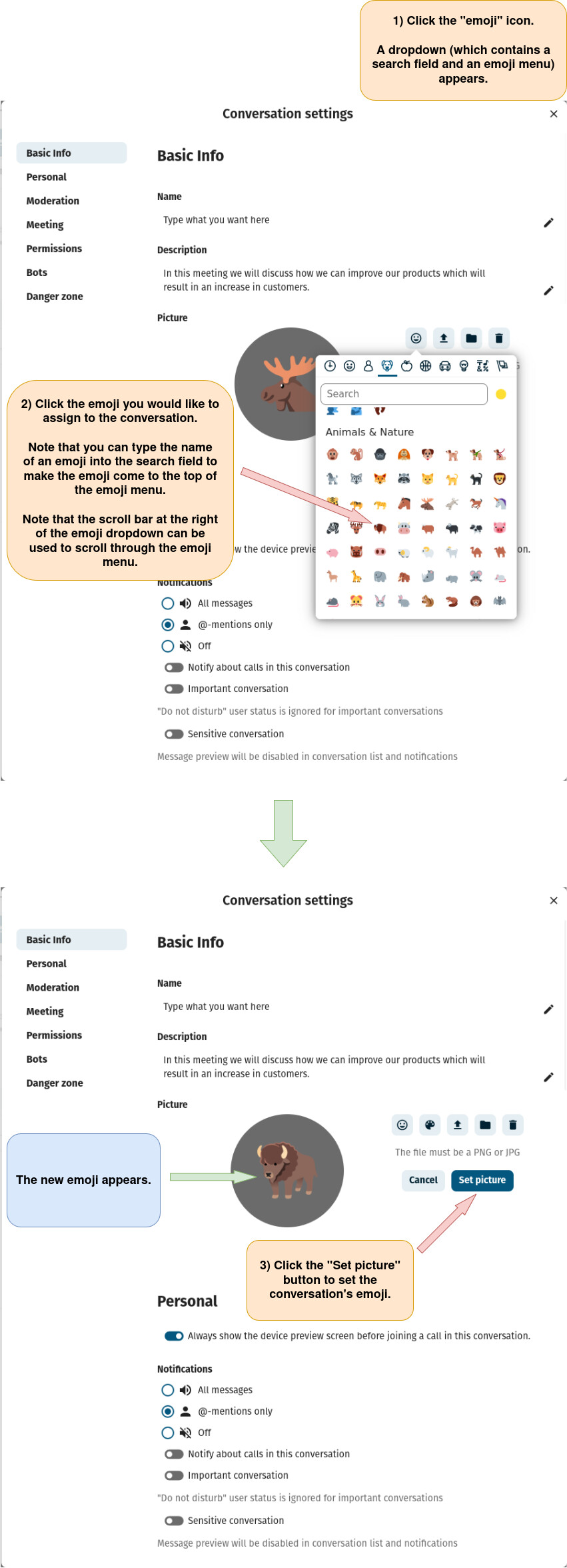
4) Edit a conversation’s emoji.
Delete A Nextcloud Talk Conversation’s Photo
1) Log in to Nextcloud.
2) Navigate to Nextcloud Talk as described here.
3) Open the “Conversation settings” window as described here.
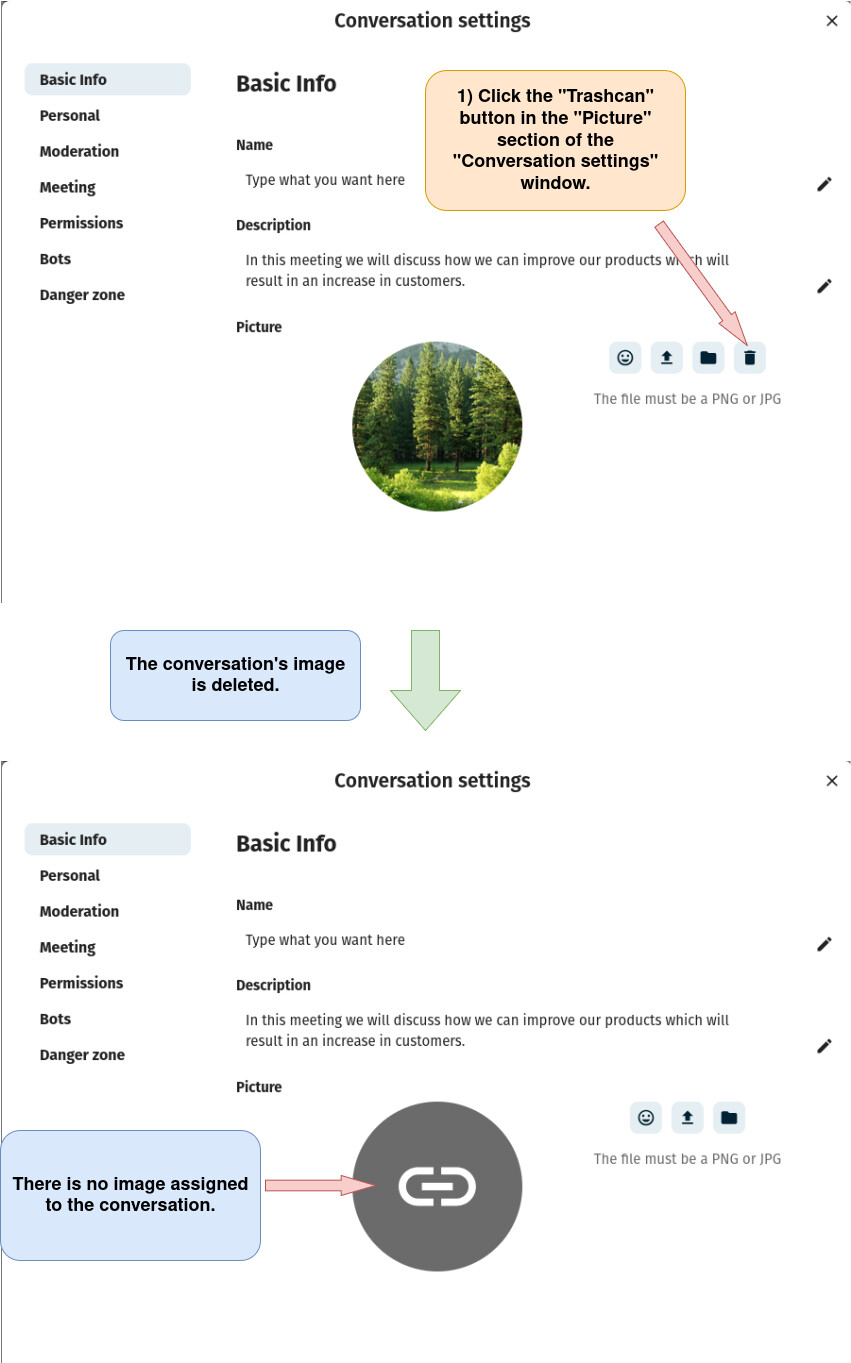
4) Delete the conversation’s photo.